
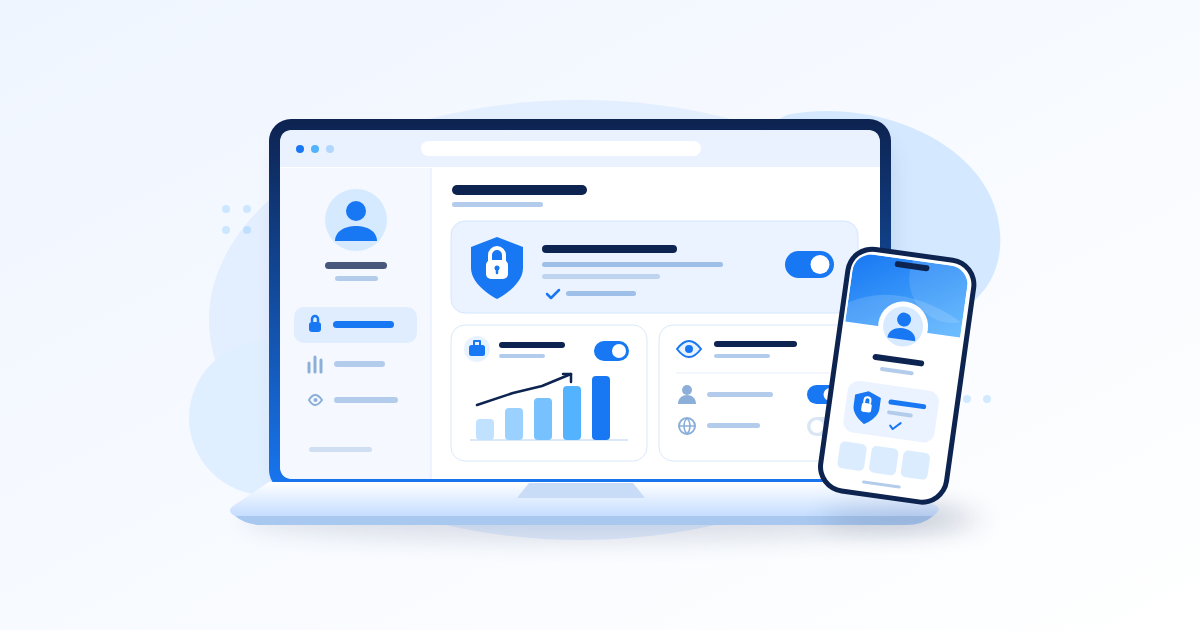
Your Facebook profile settings help you choose between private sharing with friends and a public presence for your work: profile locking limits what strangers can see, while professional mode provides tools for building a public audience. You can also control individual posts, personal details and tagging separately. Start with the audience you want, then check what someone outside your friends list can actually see.
Key Takeaways
- Use profile locking when private sharing is your priority and Facebook offers the feature on your account.
- Choose professional mode when you want public followers and creator tools, while checking the audience of personal posts.
- Review older content, contact details, Stories and tags separately; one setting does not cover every situation.
- Test your public view before sending customers or fans to your profile, and repeat the check after changing modes.
Choose the Setup That Matches Your Purpose
Before changing anything, finish this sentence: “People who do not know me should be able to see…” Your answer might be nothing beyond basic identification, selected work samples, or a steady stream of public content.
For the practical side of this, see How to Create Facebook Page: Business Setup, Renaming and Deletion.
This decision matters because privacy and discovery sometimes pull in different directions. A musician wants a new listener to hear a performance without sending a friend request. Someone sharing family updates may prefer a much smaller audience.
Compare Your Three Practical Options
- Private personal sharing: use restrictive audiences and consider locking if available. Review who you accept as a friend.
- A public creator presence: consider professional mode, publish selected work publicly and keep personal updates within narrower audiences.
- A separate business presence: consider a Page when customers should interact with a business identity, particularly when other people help manage it.
For example, a makeup artist in Ibadan might share tutorials publicly while keeping family celebrations for friends. A shop owner who wants staff to handle enquiries may find a separate business presence easier to manage.
Write Down Your Boundaries First
Make two short lists in your phone’s notes: “Public work” and “Personal.” Put product demonstrations, performances and booking information in the first; put family routines, private conversations and home details in the second.
A common mistake is making everything public because you sell something. Customers need enough information to assess your work, not unrestricted access to your personal history.
How to Lock Your Facebook Profile
Profile locking is intended to restrict what people outside your friends list can see. Availability varies, so finding the option on someone else’s account does not prove that it is available on yours.
We looked at a related question in How to Recover Facebook Account Access in Nigeria After a Hack or Lock.
Find the Lock Option and Read the Confirmation
- Open Facebook and go to your own personal profile. Check that you have not switched into a Page.
- Open the profile options menu, commonly shown as three dots near the editing controls.
- Look for an option such as Lock profile. Its wording or location may differ between versions.
- If it appears, read Facebook’s explanation of the visibility changes before confirming.
- Wait for confirmation, then return to your profile and check its public appearance.
Locking restricts access to profile content and full-size profile and cover photos for people who are not friends. It does not make your identity disappear, remove your existing friends or erase copies that people already saved.
Check the People Inside the Boundary
A lock offers limited reassurance if your friends list includes hundreds of people you do not recognise. Review unfamiliar accounts before uploading anything you would hesitate to share with them.
For example, a comedian who previously accepted every fan request should review those connections before treating friends-only posts as a private space. Changing visibility cannot tell the difference between a close friend and a stranger you previously accepted.
Avoid assuming the lock also hides comments you leave on other people’s public content. Visibility outside your own profile depends on the place where you participate.
What to Do When the Lock Option Is Missing
A missing button does not necessarily mean your account is broken. The feature may be unavailable for your account or region, or your current profile setup may prevent you from using it.
Check Once, Then Use the Available Controls
- Confirm that you are viewing the correct personal profile.
- Check whether professional mode is active and whether Facebook displays a message explaining a restriction.
- Look in settings for profile locking if your profile menu does not show it.
- If practical, compare the official app with Facebook in your phone’s browser.
- If the option remains unavailable, adjust individual privacy settings instead.
If Facebook asks you to turn off professional mode first, read the consequences before proceeding. Disabling it does not guarantee that locking will become available.
Menu names and available controls change. Facebook’s official privacy settings guide explains the Audience and visibility controls and provides device-specific guidance; use the Help Center search there for locking or professional mode instructions.
Avoid Spending Data Chasing a Button
On a metered connection, repeated reinstalls and video tutorials can consume data without resolving an availability restriction. Update through your official app store when convenient, but do not treat an update as a guaranteed fix.
Do not pay someone to “activate” a hidden privacy feature or install an unofficial Facebook app. Your useful fallback is to restrict posts, review visible details and test the result. These steps improve privacy, although they do not reproduce every protection of profile locking.
Set Up Facebook Professional Mode Deliberately
Facebook professional mode lets you build a public presence using your existing personal profile and access creator tools such as performance insights. Turning it on does not mean every post must become public, and it does not automatically qualify you for earnings.
Review the Switch Before Confirming
- Open your personal profile and its options menu.
- Look for the professional mode control, which may use shortened wording such as “pro mode.”
- Read the setup screen, especially information about followers, public visibility and available tools.
- Confirm only if a public creator presence matches your purpose.
- Open the professional dashboard, then review your profile details and posting audiences.
If the control is unavailable, use Facebook’s in-app help rather than assuming that a particular follower count will make it appear. Features and eligibility can differ between accounts.
Prepare Something Useful for New Visitors
Give visitors a clear reason to follow. A guitarist in Benin City could prepare three public posts: a short performance, an explanation of the styles they play and a booking introduction.
“Available for events; message your date and location” gives a potential customer a next step. “Support my page” gives them little information about what you offer.
Use insights to compare your own posts over time. Look at relevant measures available in your dashboard, alongside actual enquiries or bookings. Do not assume a larger follower total means more local customers.
Keep Monetisation Expectations Separate
Check the eligibility information displayed in your dashboard for any earning programme. Availability, policy requirements and account status matter; a professional label is not an earnings approval.
A growth service may deliver a purchased follower, like or view count, depending on the service. It cannot guarantee interested Nigerian buyers, monetisation approval or algorithmic distribution, and bought engagement does not replace useful content.
Review Posts, Personal Details and Older Content
Facebook profile privacy works best when you review each type of information separately. The audience for a new post, an old photograph and a phone number may be controlled in different places.
Once this part is in place, Meta Business Suite for Nigerian Businesses: Setting Up Facebook Business Properly is a sensible next read.
Choose an Audience Before Every Post
Check the audience selector in the composer before publishing. Use Public for work you deliberately want strangers to discover; use Friends or another suitable restricted audience for personal updates.
- Public: a product demonstration with a business contact method.
- Friends: an ordinary personal update intended for people you know.
- A smaller audience: a family photograph intended for selected people, where that option is available.
- Do not upload: passwords, identity documents or private customer records.
Check Stories and Reels separately instead of assuming they copy the audience of your last feed post. If you cross-post from Instagram, review the Facebook destination and audience too.
Audit Older Posts Before Attracting Visitors
Use your activity history and profile to review older uploads. Start with posts containing your address, children’s school details, travel routines, customer information or arguments you no longer want attached to your work.
Where available, Limit past posts can restrict the audience of older broadly shared posts. Read its warning carefully: restoring individual audiences afterwards may require editing posts separately, and the tool does not control content other people published.
For a creator with useful public tutorials mixed among personal posts, individual edits may be more appropriate than a bulk change. Avoid hiding your entire portfolio without checking the business impact.
Reduce Unnecessary Contact Information
Review your About and contact sections field by field. Keep personal phone numbers, birthdays and home information restricted unless there is a specific reason to share them.
A home baker in Abuja can advertise the area they serve without publishing their residential address. Share precise collection instructions privately with confirmed customers, and use a dedicated business contact method where practical.
Also inspect your profile picture and cover image. Even a sensible audience choice cannot undo information printed visibly inside an image, such as a delivery label or school badge.
Control Tags, Comments and Contact
Your own uploads are only part of your public presence. Other people can mention you, tag you or leave comments that expose information you did not intend to share.
Review Tags Before They Appear on Your Profile
Find the profile and tagging controls and review the options for approving tagged posts and tags added to your content. Enable the review controls that fit how you use the account.
Profile review controls whether tagged content appears on your profile. It does not necessarily remove the original post or prevent its existing audience from seeing it elsewhere.
If a customer posts a photograph showing your home address, hiding it from your profile is insufficient. Ask them to remove or replace the photograph, and remove the tag if appropriate.
Match Comment Access to the Conversation
Review the comment controls available for your public content. A creator inviting questions may want broad participation, while a sensitive personal announcement may need a narrower audience from the start.
- Remove comments exposing customer phone numbers or delivery addresses.
- Move order details into a private conversation.
- Use available moderation controls for repeated spam.
- Block and report accounts that persistently harass or impersonate you.
Avoid responding publicly with private details simply because the customer posted first. “Please send your order reference privately” protects both sides better than discussing a payment dispute under a promotional video.
Check Friend Requests and Your Friends List
Review who can send friend requests and who can see your friends list. Restricting that list can reduce casual browsing of your connections, but mutual friendships or information visible on someone else’s profile may still reveal a connection.
For creators, distinguish following from friendship. Accepting every potential customer as a friend may give them access to personal posts you meant for a smaller circle.
Test Your Settings Without Wasting Data
Settings screens show your choices; a visitor check helps reveal whether the result matches your intention. Do this before announcing a new public presence or directing an audience from WhatsApp to your work.
Run a Short Public View Audit
- Look for View As in your profile options to inspect the public view, where available.
- Check your introduction, contact details, photographs and visible posts.
- Confirm that work samples intended for strangers are accessible.
- Check that personal content you restricted is absent from the public view.
- Exit the preview and correct anything unexpected.
If someone you trust is not your Facebook friend, ask them to check what they can see from their own account. They do not need your password, and you do not need theirs.
Remember that a public preview does not represent every possible audience. Friends, tagged people and members of a group may have access that a stranger does not.
Make the Check Manageable on a Phone
Split the work into three short sessions if battery life or power is unreliable: review personal details first, post audiences second, and older content third. Keep a checklist in your notes so you can resume without repeating everything.
A useful starting task is to inspect your five most recent posts and five older posts containing personal information. Expand the review as needed; these ten posts are a starting sample, not proof that your entire history is private.
For a clothing seller, success might mean strangers can see outfit examples and ordering instructions while family photographs remain restricted. The common mistake is checking only whether a lock icon or professional label appears.
Frequently Asked Questions
Can I Lock My Profile in Nigeria?
Check whether Facebook offers the option on your account. Availability can vary, so do not assume that every Nigerian user has access. If it is missing, restrict your post audiences, review personal details and enable suitable tagging controls.
Can I Use Profile Locking and Professional Mode Together?
Treat them as alternative setups: locking limits public visibility, while professional mode supports a public presence. If Facebook says you must disable professional mode to lock, review the consequences first. You can still use restricted audiences for personal posts while maintaining a public creator presence.
Does Professional Mode Make My Old Posts Public?
Turning on professional mode does not automatically make all existing posts public. Check the audience attached to older posts and review your next post before publishing. Previously public content may already be visible to visitors.
Will Turning Off Professional Mode Make My Account Private?
Do not assume it will. Review Facebook’s confirmation screen for changes to tools and followers, then separately check public posts, personal details and audience settings. Turning off a creator feature is not a complete privacy audit.
Does Locking Stop Screenshots or Prevent Hacking?
Do not treat locking as either guarantee. Someone who can see content may still capture or copy it. Locking controls visibility; protecting account access requires separate measures such as a strong password and two-factor authentication.
Final Thoughts
Set up your Facebook profile around what visitors genuinely need to see. Choose private sharing or a public creator presence, review personal details and older content, then test the result. Before your next upload, check its audience again: that small habit helps keep promotion and personal life within the boundaries you chose.
Related reading
- Facebook Ads in Nigeria: Boost Post or Ads Manager on a Small Budget?
- How to Increase Facebook Followers: Getting Your Page to 5,000
- Facebook Groups Are Not Dead in Nigeria: How to Grow One That Sells
Give your Facebook posts a push
Good content deserves a first push. The Facebook service catalogue lists delivery speeds and Naira prices side by side, so you can start with a small test order.