
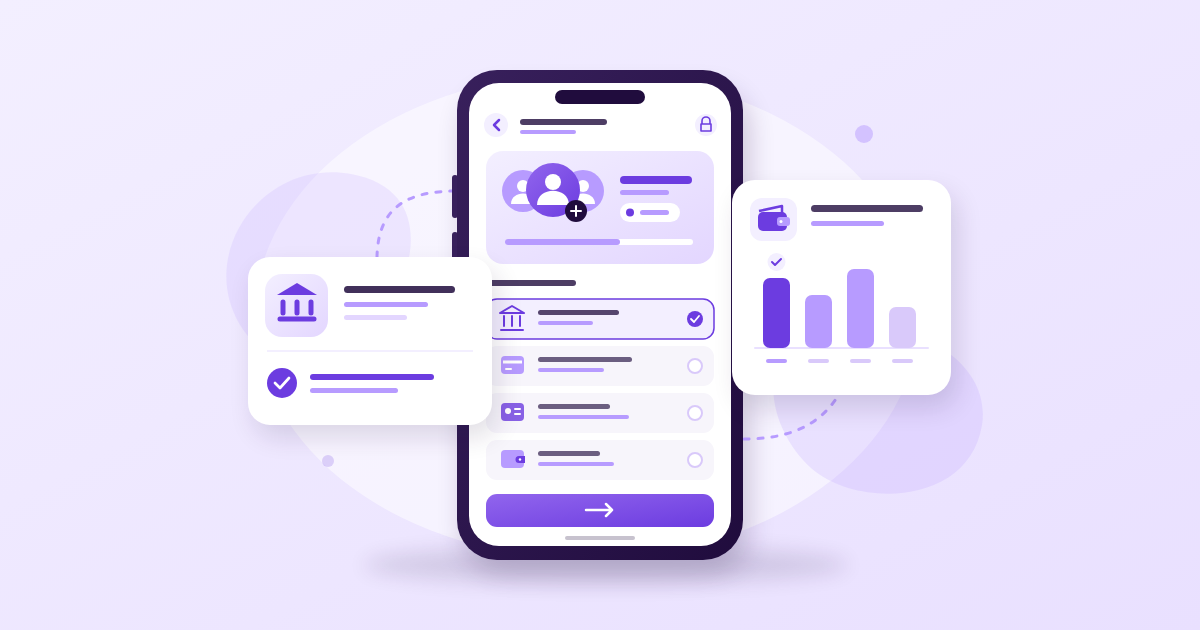
You can pay for followers in naira through bank transfer, a Paystack or Flutterwave checkout, or an eligible wallet transfer when the seller offers that option. Choose by checking the recipient, the final amount, the payment record and what happens if something goes wrong. A payment processor handles the transaction; its presence does not guarantee that followers will arrive, stay or become customers.
Key Takeaways
- Start payments from the seller’s verified website and compare the receiving account details before authorising a transfer.
- Paystack and Flutterwave are payment processors; bank transfer and card are payment methods. OPay funding and a seller’s internal wallet are different things.
- Save the payment reference and order ID separately. A successful debit does not prove that an order has been delivered.
- Check refund terms before paying. A refund request, bank dispute or wallet credit does not guarantee money back in your account.
How to Pay for Followers in Naira With a Clear Spending Limit
Define the Purchase Before Choosing the Payment Method
Write down the platform, service, quantity, target profile or post, and total price. Check whether the displayed price covers your selected quantity or a pricing unit, such as a batch of followers or views.
This connects closely to How Much Does YouTube Pay for 1 Million Views? Shorts Versus Long Videos, which covers the next piece of the puzzle.
Separate three events: paying the seller, receiving credit in a panel wallet, and placing the actual service order. If the website uses a wallet, depositing money may complete only the first step.
- Confirm that the final payment currency is NGN or naira.
- Read the delivery description and cancellation conditions.
- Check what happens if delivery is incomplete or numbers later fall.
- Find out whether unused wallet credit can be withdrawn.
Set a Limit That Leaves Room for Actual Promotion
For a hypothetical ₦5,000 promotion budget, you might reserve ₦2,000 as the maximum experimental purchase and keep ₦3,000 for data, production or another planned expense. These are budgeting examples, not service prices or recommendations to spend.
If a minimum deposit exceeds your limit, pause. Funding a larger balance just to access a smaller order exposes more money than you intended.
Before you pay for followers in naira, decide what success would mean beyond a higher count. Purchased engagement cannot replace useful videos, clear product information or replies to genuine enquiries, and it cannot guarantee reach, sales or virality.

Compare Bank Transfer, Payment Gateways and Wallets
Compare the Whole Payment Route
These options overlap. You might select Paystack on a website, choose bank transfer inside its checkout, and send the money from OPay. The useful comparison is where you authorise payment, who receives it and what evidence you retain.
- Direct bank transfer: You send money to the seller’s stated account. Check how the seller matches the transfer to your order and whether confirmation requires manual support.
- Paystack checkout: You use an available checkout method and retain its transaction reference. Check the merchant details and the selected method before authorising payment.
- Flutterwave checkout: Follow the payment options presented for that transaction. Confirm the amount, currency and reference rather than assuming the logo guarantees delivery.
- OPay transfer: Where accepted, you initiate a transfer from your own account to the verified destination. Keep the app’s transaction record and the seller’s confirmation.
- Panel wallet: You prepay the seller and later spend that internal balance. Check withdrawal conditions and avoid leaving unnecessary funds there.
Choose by Traceability, Not the Logo
For a first purchase, favour a route that connects the payment to a specific order or deposit reference. For repeat purchases, saved records can reduce administration, but recheck the destination whenever you pay.
A musician paying for a video service needs to distinguish the payment receipt from the order record showing the video URL. Without both, support may confirm that money arrived while still being unable to identify the intended order.
Compare the final amount shown at checkout and in your payment app. Do not assume any route is always free or cheapest; charges and merchant arrangements can change.
Check the Receiving Account Before a Bank Transfer
Use the Details From the Current Checkout
To buy followers with bank transfer in Nigeria, begin inside the seller’s verified website. Avoid copying account details from an unsolicited WhatsApp message, Instagram DM or comment claiming to be customer support.
We looked at a related question in Free Instagram Followers: What Exchanges, Trials, and Generators Actually Deliver.
- Open the order or funding page and record the requested amount.
- Copy the account number and select the stated receiving bank.
- Wait for your banking app to display the recipient’s name.
- Compare the name, bank and account number with the checkout instructions.
- Resolve any unexplained mismatch through support reached independently from the website.
A checkout may identify a payment processor or collection account rather than simply repeat the shop’s display name. That difference needs an explanation you can verify from the official payment flow. A familiar-looking name alone is insufficient.
Reject Account Changes Sent Through DMs
Never pay a personal account supplied through a DM because someone says the normal checkout is down. Return to the website and confirm the available route there.
Suppose a clothing seller in Ibadan starts a payment, then receives a message offering faster delivery through an unrelated personal account. The practical response is to stop that transfer and contact the website’s established support channel.
Also check whether the receiving account is temporary. Follow the current checkout’s expiry instructions, and do not reuse an old screenshot or saved beneficiary unless the website explicitly identifies it as a reusable account.
Use Paystack or Flutterwave From the Seller’s Checkout
When You Want to Buy Followers With Paystack
First confirm that Paystack is actually offered at checkout. A badge in the website footer is not enough, and this guide does not confirm which processors any particular panel currently supports.
If you want to go deeper on this point, Twitter Followers Booster in Nigeria: What Works and What Wastes Your Money walks through it step by step.
Paystack’s official payment channel documentation explains its card and transfer options, including temporary accounts for transfer payments. The available choices depend on the payment setup, so follow the options and expiry information shown for your transaction.
- Start from the seller’s account or order page.
- Check the merchant identity, email address, amount and currency.
- Select the available method you intend to use.
- Complete any authentication in the legitimate payment flow.
- Save the transaction reference and check the seller’s order or wallet history.
When You Want to Buy Followers With Flutterwave
Use the same checks if Flutterwave appears as an available processor. For a transfer option, copy the current payment instructions; for a card option, review the amount before submitting and approving the transaction.
Never send a card photograph, CVV, PIN or one-time password to an agent. Authentication belongs in the verified checkout or your financial institution’s own flow, not a support conversation.
A comedian using a phone should avoid completing payment inside an unfamiliar DM browser window. Open the known seller website directly in the normal browser and start there. If the merchant identity or destination remains unclear, stop rather than treating a padlock icon as proof of trustworthiness.
Use OPay Without Confusing It With a Panel Wallet
Confirm Which Kind of Wallet the Seller Means
You may be able to buy followers with OPay by transferring to an eligible account displayed at checkout. That does not necessarily mean the seller has a dedicated OPay payment button or that every payment route accepts the same funding sources.
An OPay account and a panel wallet serve different purposes. The former is the account you use to send money; the latter is a balance recorded by the seller after a deposit.
For example, sending ₦2,000 from OPay and seeing ₦2,000 in a panel balance does not mean a follower order has started. You still need to select the service, enter the correct profile link and submit the order if that is how the website works.
Pay From an Account You Control
- Confirm that the checkout accepts your intended transfer route.
- Review the recipient name and final debit before confirming.
- Save the transaction reference or session ID where available.
- Check both the deposit history and the service order history.
Avoid asking an unknown agent to fund your balance. If payment fails, the relevant receipt and account history may sit with that person, making the problem harder to trace.
Do not interpret a panel balance as withdrawable cash. Read its terms before depositing, especially when a bonus encourages you to fund more than your planned order requires.
Keep Useful Receipts on Your Phone
Save the Evidence That Connects Payment to Delivery
A screenshot showing only “successful” leaves out details support needs. Keep a small folder containing the checkout instructions, payment receipt, service description and order confirmation.
- Payment record: Amount, date, time, recipient and transaction reference.
- Transfer record: Receiving bank and account, plus the session ID if available.
- Order record: Order ID, service, quantity and target profile or post.
- Terms: Relevant delivery, cancellation and refund conditions as shown when you purchased.
- Support record: Ticket number and written responses.
Prepare for a Reloaded Tab or Flat Battery
Before switching from your browser to a banking app, save the order reference. On a phone with limited memory, the checkout tab may reload when you return; losing the page should not mean losing the transaction details.
Use screenshots or text notes instead of recording the entire screen, which uses more storage and can expose sensitive information. Save enough battery and data to check the outcome after payment.
If you buy services for clients, label each record with the client and campaign. Do not mix several clients’ deposits without a clear ledger. When sending evidence to verified support, hide unrelated balances and transactions while preserving the details needed to investigate.
Handle Failed or Pending Payments Without Paying Twice
Identify Where the Process Stopped
A bank debit, payment confirmation, wallet credit and completed service order are separate records. Check each one before deciding what failed.
- No debit and a failed checkout: Recheck your transaction history before starting a fresh attempt.
- Debit with a pending or failed checkout: Save the reference and request a payment investigation; do not immediately resend.
- Successful payment with no wallet credit: Ask the seller to match the payment reference to your account.
- Wallet credit with no order: Check whether you still need to submit the service order.
- Order placed but delivery incomplete: Use the order support process and include its ID.
Send One Clear Support Message
Use a message such as: “I paid [amount] on [date and time] using [method]. My payment reference is [reference], and my order or deposit ID is [ID]. My account was debited, but the panel shows [status]. Please confirm whether you received the payment.”
If power or data disappears after you authorise payment, reconnect and inspect the records before trying again. A page that stopped loading does not tell you whether money moved.
Keep replies in the same ticket so the investigation remains traceable. If the issue concerns the debit itself, use your bank or wallet provider’s official support channel as well. Avoid repeatedly paying to “test” whether the first attempt worked.
Understand Refunds, Reversals and Card Disputes
Ask Where the Money Will Be Returned
A refund is money returned for a payment; a reversal usually concerns undoing a transaction; a chargeback is a formal payment dispute handled through the relevant financial institutions. These processes have different requirements and do not guarantee the same outcome.
Before paying, ask whether an accepted cancellation returns money to your original payment source or only to the panel wallet. If a seller credits an internal balance, your bank balance has not increased.
Flutterwave’s official refund guidance describes merchant-initiated refunds and different processing timelines by payment channel. Check the current guidance for the relevant route rather than relying on an old screenshot or a promise that every refund is instant.
Compare Card and Transfer Recovery Realistically
A card payment may provide a dispute route through your card issuer, subject to the transaction, evidence and applicable rules. Ask the issuer about eligibility and deadlines promptly; do not assume every complaint will become a successful chargeback.
For a transfer, contact the sending bank or wallet provider quickly if money went to the wrong destination or fraud is suspected. Request a trace or recovery investigation, but do not treat recovery as guaranteed.
Describe the issue accurately. An unauthorised payment, a duplicate debit and an authorised purchase that was not delivered are different complaints.
If a seller promises a refund, request the amount, destination, initiation date and refund reference. Check your actual account history for the credit. A message saying “refunded” or a restored panel balance is not proof that money reached your bank.
Frequently Asked Questions
Can I Buy Followers With Bank Transfer in Nigeria?
Yes, where the seller offers bank transfer and the payment route accepts your account. Use the current website instructions, verify the recipient name and save the transaction reference. Never substitute a personal account supplied through a DM for the official payment destination.
Can I Buy Followers With Paystack or Flutterwave Without a Card?
Possibly, if a suitable transfer option is enabled for that checkout. Select the methods actually displayed and follow their instructions. The presence of a processor’s logo does not mean every payment method is available or that the processor guarantees the service.
Can I Buy Followers With OPay?
You may be able to use OPay to transfer to an eligible receiving account, subject to the checkout’s requirements. Confirm acceptance first, then keep the OPay transaction record and the seller’s deposit confirmation. OPay funds and a seller’s internal wallet balance are separate.
Is Card Payment Safer Than Bank Transfer?
Neither method makes an unreliable seller trustworthy. Card payments may have issuer dispute options, while transfers require careful recipient checks and may be difficult to recover. Choose a verified payment flow, understand its complaint process and keep evidence whichever method you use.
What if I Paid but My Followers Did Not Arrive?
Check whether the payment funded a wallet or placed an order. If an order exists, compare its status with the stated delivery terms and contact support with the order ID, payment reference and target profile. Request the appropriate remedy without making another payment to release the first order.
Final Thoughts
When you pay for followers in naira, verify the destination, keep the purchase within your limit and save records linking the debit to the order. Choose payment methods by their traceability and support process, and read refund terms before funding a wallet. Continue investing in content and customer conversations: a completed payment and a larger follower count cannot establish genuine audience interest.
Related reading
- Free TikTok Followers: Do Booster Apps Deliver Followers Who Stay?
- How to Boost TikTok Followers Using Your Bio and Pinned Videos
- Free TikTok Views: Evaluating Offers of 1,000 Views Without Paying
Grow your social media numbers faster
If you want to speed this up, compare the social media options and prices first, then open a free account and start with the smallest package.