

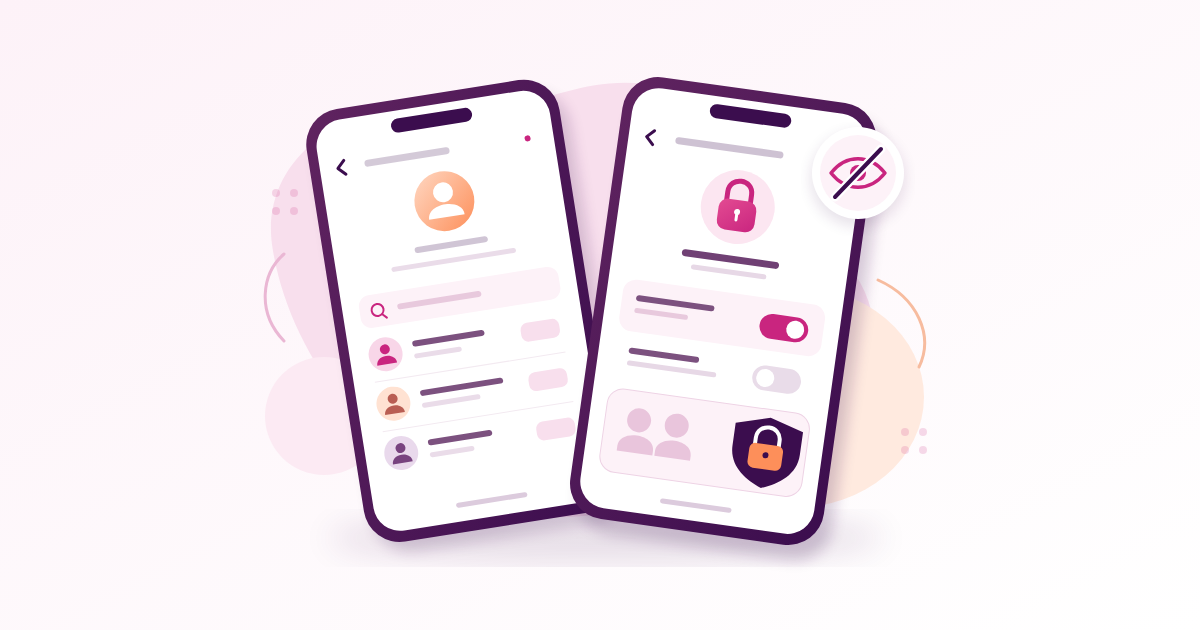
Learning how to hide followers on Instagram starts with one limit: Instagram has no universal switch that makes your follower list visible only to you. Making your account private limits access, but approved followers can still see your connections, follower counts remain visible, and connections with public accounts can still be discoverable. To reduce access for a particular person, review your existing followers and use removal or blocking where appropriate.
Key Takeaways
- Private does not mean invisible: your profile details and follower totals remain visible, and public-account connections may still reveal relationships.
- Existing followers keep access: switching to private does not remove people who already follow you.
- Choose the right control: removal and blocking change access; Restrict, Close Friends and hidden Stories serve different purposes.
- No payment is needed: Instagram’s privacy controls are free, and a growth service cannot add a hidden-follower setting.
How to Hide Followers on Instagram Using a Private Account
A private account gives you control over new follow requests and reduces what people outside your approved audience can inspect. It is the starting point if your personal account should be accessible mainly to people you know.
For the practical side of this, see Free Instagram Followers: What Exchanges, Trials, and Generators Actually Deliver.
Change the Setting on Your Phone
- Open Instagram and tap your profile picture at the bottom right.
- Check the username, especially if you manage several accounts.
- Tap the three-line menu at the top right.
- Find Account privacy, usually under Who can see your content.
- Turn on Private account and confirm the change.
- Return to the setting and check that it stayed enabled.
Menu labels can differ between app versions. If the settings screen has a search box, search for “Account privacy” instead of following an old tutorial through menus that no longer match.
You do not need a laptop or a separate privacy app. On an unstable connection, wait for confirmation and reopen the setting before assuming the change saved.
Review Who Already Has Access
Suppose you run a personal account alongside a public baking business in Ibadan. Making the personal account private helps you screen future requests, but customers who already follow it remain followers.
If you are researching how to hide followers on Instagram because one existing follower concerns you, the privacy toggle alone will not solve that problem. Open your follower list next and decide whether that account should retain access.
Common mistake: treating a switch to private as a fresh approval process. Instagram does not ask every existing follower to apply again.
Understand What a Private Account Still Reveals
Privacy works better when you separate your content, your profile details and your relationships. A setting that protects posts does not necessarily conceal every clue about who you know.
Once this part is in place, Get Free Instagram Followers Through Giveaways: What Works and What Backfires is a sensible next read.
Your Follower Count Remains Visible
Your follower and following totals remain visible on a private profile. Your username, name, profile picture and bio also remain public-facing information.
For example, someone may still see that your account has 850 followers without having the same access to connections as an approved follower. Hiding like counts on posts does not hide that profile total.
Open Edit profile and inspect the details you have supplied. Remove a personal phone number, precise home address or unnecessary workplace details if you do not want strangers to see them.
Public Connections Can Still Be Discoverable
Instagram’s comparison of public and private accounts distinguishes between connections with public accounts and connections with private accounts. Do not assume that going private conceals the public accounts you follow or public accounts that follow you.
A practical example: if your private account follows a public music page, that relationship may be discoverable through the public page. Your own privacy setting does not make the other account private.
Review your following list as well as your followers. If a particular connection must not remain visible, consider ending that connection; there is no reliable setting that keeps every relationship intact while concealing it everywhere.
Common mistake: checking only whether strangers can open your posts. Also consider your bio, public comments and connections visible elsewhere.
Remove an Existing Follower From Your Private Account
Removing someone ends their approved follower access. This is useful when a former customer, casual acquaintance or unfamiliar account no longer belongs in your personal audience.
Remove the Correct Account
- Confirm that your account is private.
- Open your profile and tap Followers.
- Search for the person’s username.
- Open their profile if necessary to confirm their identity.
- Return to the list, tap Remove beside their name and confirm.
Instagram does not send a notification announcing the removal. However, the person may notice when they visit your profile, so removal should not be described as undetectable.
They can send another follow request. Leave it unapproved if you do not want to restore access, and check unfamiliar requests before accepting them.
Distinguish Removing From Unfollowing
Unfollowing someone changes whose content you follow. It does not remove that person from your audience.
If a former colleague follows you and you follow them, unfollowing their account addresses only your side of the relationship. To withdraw their approved access to your private account, remove them from your followers.
For a larger review, start with accounts you specifically distrust or no longer recognise. Check usernames carefully; a changed profile picture or an empty feed alone does not prove that an account is malicious.
Common mistake: removing someone while leaving your profile public and expecting privacy. Public content remains accessible, and removal does not create a lasting barrier to following again.
Block Someone When Removal Is Not Enough
Blocking provides a stronger boundary against a particular account. Consider it when someone repeatedly requests access, contacts you after being asked to stop or uses your profile to bother people you know.
Apply the Block From Their Profile
- Open the account you want to block.
- Tap the three-dot menu.
- Select Block.
- Read the options Instagram displays, including any option covering other accounts the person may have or create.
- Confirm your choice.
Read the actual confirmation screen rather than assuming every version offers identical options. Instagram does not notify someone that you blocked them, although they may work it out.
If you need a record of threatening messages, save the relevant messages and usernames before changing access. Use Instagram’s reporting tools for abusive content where appropriate.
Account for Other Ways Someone Could Look
Blocking targets accounts; it cannot guarantee that a person will never see a screenshot or use an unrelated account. A public business profile may still be viewable through another route.
For example, a Lagos clothing seller can block a troublesome account while keeping the shop public for customers. If the seller also wants family connections kept more private, the personal account needs its own privacy settings and follower review.
A trusted follower can also copy information they can see. Share sensitive details only with people you trust, even after reducing your audience.
Common mistake: treating blocking as a guarantee of invisibility. Combine it with a private personal account when broader privacy matters.
Know Which Settings Do Not Hide Followers
Several Instagram settings sound relevant because they control visibility or interaction. Choose them according to the specific problem you want to solve.
Restrict Controls Interactions
Restrict helps manage someone’s comments and messages more discreetly. It does not remove their follower access or create a private follower list.
If an approved follower leaves irritating comments, restriction may address the interaction. If your concern is that they can inspect your connections, review removal or blocking instead.
Close Friends and Story Controls Limit Content Audiences
Close Friends lets you share supported content with a selected audience. Hiding your Story from someone changes their access to that content; it does not hide your follower or following list.
A comedian might share an unfinished sketch with Close Friends while keeping finished videos public. That audience choice does not conceal who follows the comedian.
Mute, Activity Status and Like Counts Have Separate Jobs
- Mute: changes the content you see from someone.
- Activity status: controls visibility of your online activity information.
- Like-count controls: affect displayed engagement totals on posts.
None of these is an “Only me” setting for followers. Before changing anything, write down your aim in plain language: “Stop this person seeing my Stories” and “Stop this account accessing my private profile” require different actions.
Common mistake: enabling several unrelated settings and assuming their combined effect hides your connections. Check what each control actually changes.
Choose Between Business Visibility and Personal Privacy
Professional accounts, including Business and Creator accounts, cannot be private while they remain professional. If Instagram prevents the change, check your account type before troubleshooting your phone.
Review the Trade-Off Before Switching
In settings, look for account-type options under labels such as Account type and tools, Business tools and controls or Creator tools and controls. Find Switch account type and review the confirmation for switching to a personal account.
Read the warnings about professional features before confirming. Save any campaign results or business information you need, and check how the change affects tools you currently use.
Switching to personal does not itself make the account private. You must then enable Private account separately.
Separate Your Shop From Your Personal Audience
A tailor in Abuja may need strangers to browse finished outfits before making an enquiry. Making that sales account private adds an approval step before prospective customers can inspect the work.
A separate private personal account can be more practical. Keep product photos, delivery information and business contact details on the shop profile; keep personal updates with a carefully approved audience.
- Check the username before posting or changing settings.
- Avoid putting a private account’s username in the business bio if you want less obvious association.
- Review public tags and comments that connect the accounts.
- Remember that two accounts do not guarantee anonymity.
Common mistake: making a sudden account-type change during a promotion without checking which business tools you need. Decide the account’s purpose first.
Check the Result and Avoid Paid Privacy Claims
After changing settings, verify what another account can actually see. Your own logged-in view cannot show you every difference between an approved follower and an outsider.
If you want to go deeper on this point, How to Get 10K Followers on Instagram in Nigeria: The Stage After Your First 1,000 walks through it step by step.
Run a Short Privacy Check
- Use an account you own that does not follow the private profile, or ask a trusted person who does not follow it to check.
- Inspect the profile picture, bio, follower totals and access to posts.
- Check an approved follower’s view separately.
- Consider whether important connections remain visible through public accounts.
- Review your follower list for anyone who should no longer have access.
Do not accept the test account’s follow request before checking the outsider view. That changes the very condition you are trying to test.
You can perform this review from a phone without uploading videos or downloading another app. On metered data, save a brief checklist in your phone’s notes and work through the settings directly.
Do Not Pay for an Unsupported Feature
When researching how to hide followers on Instagram, avoid tools claiming to add a secret follower-privacy switch. A third-party app or SMM panel cannot legitimately override Instagram’s account visibility rules.
The privacy settings described here cost ₦0, apart from your internet access. If someone asks for ₦5,000 to activate hidden followers, ask which official Instagram setting they are changing before paying anything.
Never supply your password, login code or recovery codes to a follower-hiding service. If you already shared them, change your password, review logged-in sessions and connected apps, and enable two-factor authentication.
Growth services may sell followers, likes or views, but those services do not conceal connections, guarantee sales or replace useful content. Adding unfamiliar followers also works against a privacy goal built around knowing your audience.
Common mistake: treating a blank follower list on another profile as proof of a purchasable feature. Loading problems or platform-imposed limits do not establish that a user enabled a privacy switch.
Frequently Asked Questions
How Can I Hide My Followers on Instagram Without Going Private?
There is no general setting that hides your follower list from everyone while keeping your account public. Blocking can limit access for particular accounts, but it does not conceal your public profile from every other account or route.
If you need both public promotion and a smaller personal audience, consider separate business and private personal accounts.
How Do I Hide My Followers on Instagram From Someone Who Already Follows Me?
Make your personal account private, then remove that person from your followers. Switching to private alone leaves existing followers in place.
Use blocking if you need a stronger boundary against that account. Neither action erases information the person previously saw or saved.
How Do You Hide Your Followers on Instagram From Approved Followers?
Instagram does not offer a general “Only me” control for follower lists. You cannot keep someone as an approved follower and rely on a separate setting to hide all your connections from them.
Decide whether they should remain in your approved audience. Close Friends and Restrict do not provide that separation.
How Do I Hide My Instagram Followers Count?
Instagram does not provide a standard setting to hide your follower total, including on private accounts. Hiding likes on posts changes a different number.
If you want less personal information visible, edit your bio and profile details, but expect the follower and following totals to remain visible.
How Do I Hide Instagram Followers on iPhone Compared With Android?
The main approach is the same: open your profile menu, find Account privacy and enable Private account. Then review existing followers and remove or block accounts where needed.
Labels and menu placement can vary by app version. Search within settings when available; do not assume a missing menu label means you need a paid tool.
Final Thoughts
The practical answer to how to hide followers on Instagram is to control access carefully and understand what remains visible. Start with your account’s purpose, enable privacy where appropriate, review existing followers and test the result from another account. Keep public connections and profile details in mind, and spend nothing on promises of a secret hiding feature.
Related reading
- How to Get Followers on Instagram Through Searchable Names and Profile Keywords
- Boost Instagram Followers: Booster App Permissions, Costs, and Results
- How to Boost Instagram Followers With Shareable Carousels and Clear Follow Prompts
Add momentum to your Instagram growth
Content does the long-term work; a starting push just makes it visible. See what a small Instagram order costs in Naira before you commit to anything bigger.