


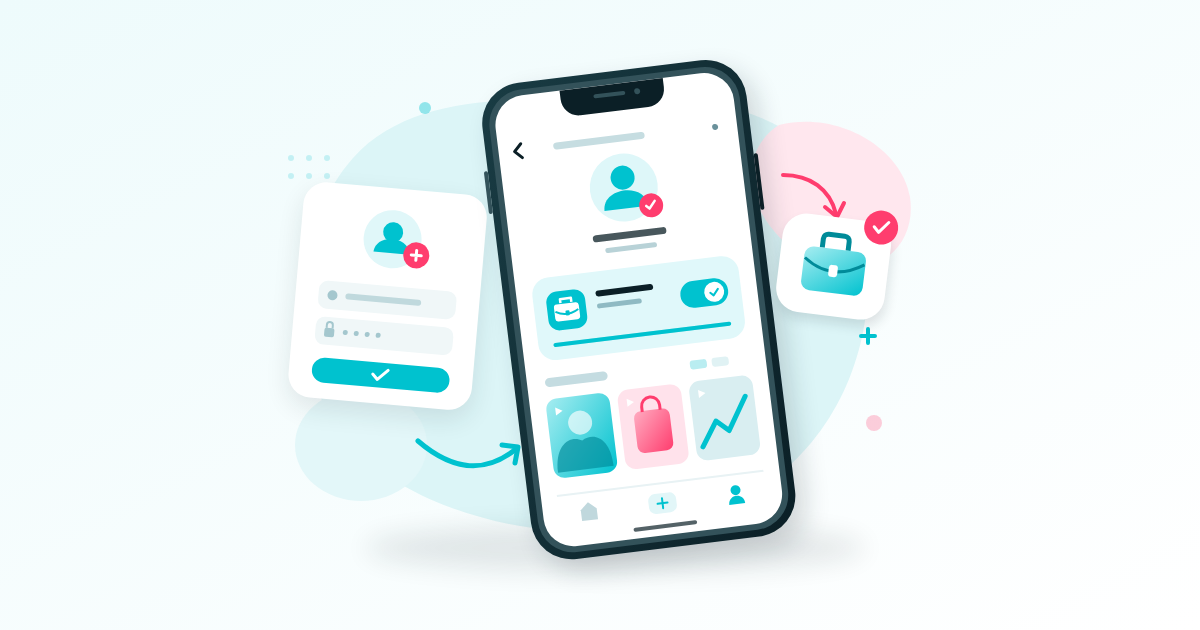
If you searched for “how to create TikTok account,” download the official app and sign up with a phone number or email address you control. To switch to a Business Account, open your profile settings, select Account, and follow the business switching prompts. Before switching, check whether the music restrictions and business features suit what you plan to post.
Key Takeaways
- Create the account with your own contact details and correct date of birth, then secure your login before sharing the profile.
- A Personal Account suits many creators; a Business Account suits a profile mainly promoting products or services.
- Switching is free, but website links, advertising features and other tools can have separate eligibility requirements.
- Business Accounts use commercially cleared music. Changing account type does not guarantee views, customers or income.
Get Your Details Ready Before You Start
Choose Who Will Own the Account
Use an email address or phone number you expect to keep. For a business, the owner should control the recovery details even when an employee or freelance marketer handles posting.
If you want to go deeper on this point, Free TikTok Followers: Do Booster Apps Deliver Followers Who Stay? walks through it step by step.
For example, an Ibadan bakery should avoid registering its main account with a temporary assistant’s personal email. Create a business-controlled email first, secure it, and keep a record of which login method you use.
- Prepare an accessible email address or active Nigerian SIM.
- Choose a recognisable username and one alternative in case it is unavailable.
- Save a clear logo or headshot on your phone.
- Write a short description of what you sell or create.
Plan for Data and Battery Use
Download or update TikTok over a connection you trust, with enough battery to finish verification. If you use a dual-SIM phone, confirm which number can receive the signup message; your mobile-data SIM and registration number may be different.
Registration and the basic Business Account switch are free. Your practical costs are connectivity and any optional production or advertising expenses. Avoid paying someone an “activation fee” simply to perform the account switch.
You do not need a foreign SIM or a purchased overseas account to follow the normal Nigerian signup process. Use accurate details rather than trying to make the account appear to belong somewhere else.

How to Create TikTok Account Access in Nigeria
Install the App and Complete Signup
Start with TikTok from Google Play or Apple’s App Store. Avoid modified apps or installation files sent by strangers: you will be entering details that control access to your account.
- Open TikTok and find the signup option, usually through Profile.
- Choose an available registration method, such as phone or email. The options shown can vary.
- Enter your correct date of birth when requested. Do not enter your business’s incorporation date.
- Enter the contact details you control and complete the verification prompts.
- Create a unique password if your chosen signup method requests one.
- Choose your username and finish the remaining on-screen steps.
If you register through another account, such as Google or Apple, record that choice. Later, trying an unrelated login method can leave you confused about which TikTok profile you created.
Enter Your Nigerian Number Correctly
When the form uses a separate country-code selector, choose Nigeria, +234. A local number beginning 0803 normally becomes +234 803 followed by the remaining digits; you remove the first zero and avoid entering +234 twice.
Check the displayed number before requesting a code. If no message arrives, confirm that the SIM receives ordinary SMS and wait for the app’s resend timer rather than repeatedly tapping the button.
Check the Account Before Sharing It
Open your profile and confirm the username is the one you intended. If TikTok suggests an unfamiliar profile associated with your details, resolve that through its login or recovery options before creating more accounts.
At this point, the signup part of “how to create TikTok account” is complete. Keep going through security and account-type selection before printing the handle on packaging or sharing it with customers.
Personal vs Business Account on TikTok
Match the Account to Its Main Purpose
A Personal Account can suit a comedian, musician or educator building an audience around their work. A Business Account is designed for a profile whose main purpose is promoting a business, product or service.
Consider an Abuja makeup artist: a page mainly taking bridal bookings has a clear business purpose. A separate page featuring personal stories and entertainment may have a different purpose. Decide what each profile should do before choosing its type.
- Creator or entertainment profile: consider Personal, especially when creative flexibility matters.
- Shop or service profile: consider Business for a consistent commercial presence.
- Private personal sharing: Business is unsuitable because Business Accounts are public.
- Mixed personal and business use: consider separate profiles if you can realistically maintain both.
Understand the Music Trade-Off
Business Accounts do not have the same general music-library access as Personal Accounts. TikTok provides a Commercial Music Library for business content, so check your planned soundtrack before switching.
A clothing seller can use a product demonstration with voiceover instead of building every video around a popular song. A musician should also confirm permissions for recordings, beats and samples before using them in promotional content.
Remaining on Personal does not automatically give commercial permission for every available sound. Choose music cleared for your intended use, and avoid assuming that a sound appearing in another seller’s video makes it suitable for yours.
Switch to a TikTok Business Account
Follow the Account Settings Route
TikTok documents the switching route in its official account-type guide; consult it if your app’s labels or available options differ.
For the practical side of this, see How to Grow a TikTok Account in Nigeria Without Buying Fake Followers.
- Open TikTok and tap Profile.
- Tap the menu button, then Settings and privacy.
- Tap Account.
- Select Switch to Business Account.
- Follow the prompts and choose an appropriate business category if requested.
Read each screen before confirming. This changes the account you are currently using, so check the username first if you manage several profiles from one phone.
Check What Became Available
After switching, inspect your profile-editing options and business tools. Open the sound picker while preparing a draft to see which commercial sounds are available for your next post.
Do not treat a Business Account, business registration, advertising account and TikTok Shop as interchangeable. Additional products and features can have separate requirements, and switching your profile does not establish eligibility for all of them in Nigeria.
If the app requests business verification for a feature, read that specific requirement. Submit accurate documents only through the official process; buying followers does not replace verification.
A common mistake is switching because a tutorial promises an immediate sales increase. Make the change because the account’s purpose fits, then judge results from your content and customer enquiries.

Secure Your Login and Review Privacy
Add Recovery Options Before You Need Them
In Settings and privacy, look for Security & permissions and Security checkup. TikTok’s security tools let you review contact methods, verification settings and devices associated with your account.
- Link and verify an email address and phone number you control where available.
- Use a unique password rather than your business name or a password reused elsewhere.
- Enable 2-step verification and complete the methods offered in your app.
- Review logged-in devices and remove any you do not recognise.
- Secure the email account used for recovery as carefully as TikTok itself.
If you use an authenticator, plan how you will recover it when replacing your phone. Do not wait until your handset is lost or damaged to discover that every recovery option depended on that device.
Choose What Customers Can See
Review the available settings for comments, messages, mentions and content reuse. Choose settings that let customers reach you without exposing personal details unnecessarily.
A home-based food seller can show the area they serve without filming their house number. Before publishing, check backgrounds for delivery labels, customer telephone numbers, payment notifications and private chats.
Never send a password or verification code to someone claiming they must inspect your account before providing a growth service. Keep account access under your control, including when someone else edits your videos.
Make the Profile Ready for Your First Customers
Give Visitors a Clear Next Step
Use a recognisable image and a display name customers will understand. A bio such as “Celebration cakes in Ibadan. Send your date and preferred size to enquire” communicates more than “Best quality, best service.”
Once this part is in place, Before You Buy TikTok Followers in Nigeria: What Actually Happens to Your Account is a sensible next read.
Choose a contact route you can actually monitor. If you invite enquiries through messages, first confirm that the relevant messaging options are available and enabled for your account.
- State the product, service or content people can expect.
- Add your service area when location affects buying decisions.
- Explain what information a customer should send.
- Use a dedicated business contact rather than exposing a private number unnecessarily.
Check Website-Link Eligibility Separately
Look in Edit profile for the available link fields. TikTok’s profile-link guidance distinguishes eligibility based on followers or a Registered Business Account, and availability can vary. A basic switch to Business should not be treated as a guaranteed website-link shortcut.
If a link field is available, test the destination from another phone before announcing it. For a WhatsApp enquiry route, confirm that it opens the correct business conversation. If the field is missing, follow the eligibility information shown rather than buying followers to force access.
Prepare Three Useful Starter Videos
You do not need a complicated posting calendar to test a new account. Prepare three videos that let a visitor understand the business and decide whether to enquire.
- Show the offer: demonstrate the finished product or service result.
- Explain the process: show how ordering, booking or delivery works.
- Answer a buying question: address sizing, lead time, location or what the quoted price includes.
For a tailor, “New collection available” gives little direction. “Before you order this two-piece, send these three measurements” gives the viewer something useful and makes the next step clearer.
Record several clips while you have good light and power, then edit from saved files. Keep original footage outside TikTok and upload when your connection is stable. Review each caption, soundtrack and contact instruction before posting.
Fix Common Signup and Switching Problems
When a Verification Code Does Not Arrive
Check the contact details first. For email, inspect spam and junk folders; for SMS, confirm the selected SIM has reception and can receive messages. Use the latest code and respect any retry delay shown.
If signup offers another method you control, consider that option. Avoid borrowed numbers or disposable inboxes: getting past signup is little help if you cannot recover the account later.
When the Business Option Is Missing
Check which account is active and whether it is already a Business Account. Update TikTok through the official app store, restart the app, and compare your settings with the official guidance linked above.
If the option remains unavailable, use TikTok’s in-app help or reporting route. Record the app version and exact error message; a clear description gives support more to work with than “my account is bad.”
Do not delete the account or repeatedly change its details to chase a missing button. Save important footage before considering app reinstallation, because locally stored work may be lost.
When Views Are Low After Switching
Check that the post is visible, its sound works and no account notice requires attention. Then review the video itself: does the opening show the product or answer a question, or does it spend several seconds on a logo?
Record views, useful comments, profile visits and genuine enquiries where those measures are available. A higher follower count alone does not tell a Port Harcourt caterer whether anyone wants to book.
Growth services may add purchased engagement counts, but they cannot guarantee interested Nigerian customers, authentic attention or sales. Bought engagement cannot replace useful content, and artificial activity may be removed or expose the account to enforcement. Do not use it as a setup requirement or a fix for account restrictions.
Frequently Asked Questions
Can I Create a TikTok Account With Email Instead of a Phone Number?
Yes, use email when that signup option is offered. Keep the inbox accessible and complete verification. If a “how to create TikTok account” tutorial shows different buttons, follow the options in your current app rather than downloading an older or modified version.
Is a TikTok Business Account Free in Nigeria?
The basic Business Account switch is free. Mobile data, optional advertising and any outside services you choose are separate costs. Before paying anyone for setup, ask what work they are charging for; TikTok does not require a paid growth package to make the switch.
Do I Need a Business Account to See Analytics?
No. Personal Accounts can also access analytics, subject to TikTok’s conditions, including having at least one public post. Check the tools available on your profile before switching solely for statistics; choose the account type that fits your main activity.
Can I Switch Back to a Personal Account?
TikTok supports changing account types, although the available route can depend on your account setup. Look in Account settings and follow the current prompts. TikTok advises against repeatedly switching back and forth, so assess your music needs and business purpose before making changes.
How Do I Delete My TikTok Account?
Open Profile, tap the menu, then Settings and privacy, Account, and Deactivate or delete account. Follow the deletion prompts and read the confirmation screens carefully for the current consequences and any recovery period.
Save videos and request any account data you need before confirming. Consider deactivation if you want a temporary break. Uninstalling the app does not delete the account, and switching to Business does not require deletion.
Final Thoughts
Create the account with details you control, secure recovery, and choose Personal or Business according to its main purpose. Then test the profile, contact route and first useful videos from a customer’s perspective. A dependable setup makes it easier to publish consistently and handle real enquiries without unnecessary spending.
Related reading
- How to Boost TikTok Followers Using Your Bio and Pinned Videos
- Free TikTok Likes: What Trials Offer and Like Exchanges Really Cost
- Free TikTok Views: Evaluating Offers of 1,000 Views Without Paying
Add momentum to your TikTok growth
When you are ready to add momentum, the TikTok services page shows exactly what each package delivers, and you can create an account in a minute.