

Learning how to create YouTube channel content in Nigeria starts with opening a free channel through your Google Account, choosing a clear topic and publishing your first useful video. You can handle the work from a phone, then attract your first subscribers by giving interested viewers a specific reason to return. This guide takes you from account setup to a manageable first month without assuming you own a camera or have unlimited data.
Key Takeaways
- Create your channel using an account you control, then choose a recognisable name and handle.
- Start with one audience and three related video ideas so visitors understand what subscribing offers.
- Batch recording and check exported files before uploading to reduce wasted data and charging time.
- Promote useful videos to relevant people; purchased subscriber counts cannot guarantee an interested audience.
Choose Who Your Channel Will Help or Entertain
Write a One-Sentence Channel Promise
Before choosing a logo, finish this sentence: “My channel helps or entertains this audience by making these videos.” A clear promise makes your next recording decision easier and helps a visitor decide whether to subscribe.
A tailor in Ibadan could choose “simple sewing fixes for beginners using a domestic machine.” A comedian could build around short sketches about shared-flat life. Both give viewers a clearer expectation than “fashion, comedy, news and everything interesting.”
- Name one audience you understand through work, experience or regular conversation.
- Write five questions they ask, problems they face or situations they find entertaining.
- Choose a format you can produce repeatedly with your current phone and surroundings.
Plan Three Connected Videos
For the sewing channel, the first three uploads might cover threading the machine, fixing loose stitches and sewing a straight seam. Someone who needs the first lesson has a reason to watch the next two.
For a musician, try an original performance, a breakdown of the chorus and a rehearsal showing how the arrangement changed. Avoid switching topics simply because an unrelated trend is receiving attention. Your early videos should help you discover which part of your own promise interests viewers.
Create Your YouTube Channel From Your Phone
Prepare an Account You Control
Use a Google Account whose password and recovery details you control. Check that your recovery email works, secure the account with two-step verification and store recovery information somewhere you can access if your phone goes missing.
Once this part is in place, YouTube Studio Explained: Analytics and Settings Nigerian Creators Should Use is a sensible next read.
If someone helps you set up the channel, remain present and enter your own credentials. A designer or promoter does not need your password or verification code to prepare artwork or discuss a campaign.
Follow the Channel Creation Steps
- Sign in to YouTube through your phone browser or a computer.
- Open your profile picture and select Settings.
- Under Account, select Add or manage channel(s), then Create a channel.
- Choose a profile picture and enter your channel name and handle.
- Select Create channel and check the resulting page.
These steps follow YouTube’s official channel creation guide. Menus and account options can change, so use that guide if your screen differs; it also explains creating a channel under a business or other name.
Your channel name is the public label, while your handle is its unique identifier beginning with @. Check spelling carefully before sharing either.
Check Access Before You Announce the Channel
Open the channel in a signed-out browser to see what visitors see. Confirm that the name, picture and description identify the right person or business.
If creation fails, note the exact error before retrying. Confirm which account is signed in and consult the official help guide; repeatedly creating new accounts makes ownership harder to manage.
Choose a Channel Name and Clear Branding
Use These YouTube Channel Name Ideas as Patterns
A useful name is easy to say, spell and recognise on a small screen. Start with your existing business or stage name where it already has recognition. Otherwise, combine your name with a subject or audience benefit.
- Name plus topic: Sewing With Teni or Cooking With Emeka.
- Audience plus benefit: Student Kitchen Notes or Small Shop Skills.
- Place plus subject: Abuja Food Walks, if location will remain central.
- Distinctive series name: The Flatmate Diaries for a recurring comedy format.
These are illustrative ideas, not availability checks. Search YouTube and your other social platforms before choosing, and avoid names that could make people mistake you for an established creator.
Make the Page Explain Itself
Use a clear face photograph or a simple business mark. Write a short description that names the audience, subject and realistic posting rhythm: “Practical sewing lessons for beginners. New demonstrations twice a month.”
For the banner, keep essential words away from the edges and inspect the mobile preview. Tiny contact details and long slogans rarely help someone understand your videos.
Avoid spending your launch week perfecting artwork. Set a short deadline for the first design, save the editable file and improve it after you have published something worth watching.
How to Create YouTube Channel Content Worth Following
Make One Clear Promise Per Video
Your first upload should deliver something useful or entertaining immediately. A general introduction usually gives a stranger less reason to watch than a demonstration, performance or complete sketch.
For example, replace “Welcome to My Fashion Channel” with “How to Fix Loose Stitches on a Sewing Machine.” Show the loose stitching first, explain the check you will demonstrate and get into the repair.
- Opening: Show the problem, result or situation.
- Main section: Demonstrate the steps or develop the story.
- Payoff: Show the finished result, answer or punchline.
- Next step: Tell interested viewers what related video comes next.
Record With the Equipment You Already Have
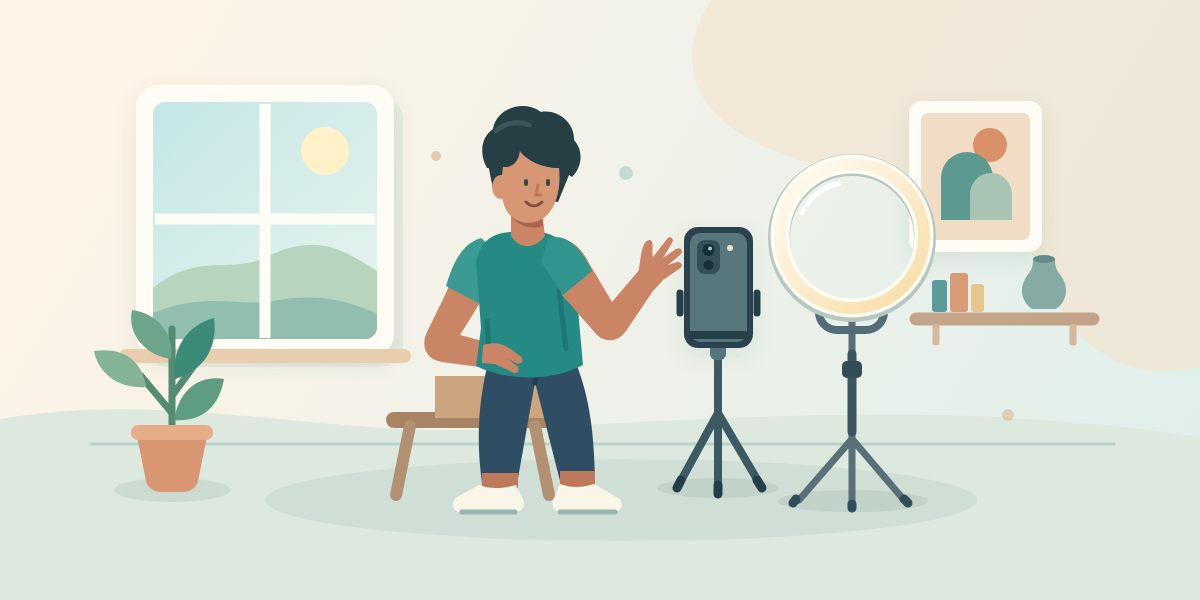
Clean the camera lens, face a window and stabilise the phone on a safe surface. Record a short test, then listen through earphones for traffic, generator noise or speech that sounds distant.
If your location becomes noisy later, record spoken sections during its quieter period. Film close-up demonstrations separately and add your explanation during editing if that produces clearer sound.
Use your phone’s editor or an editing app you already understand. Cut long pauses and repeated explanations before adding effects. For a first tutorial, aim for the shortest version that still explains the task properly; stretching it to reach an arbitrary duration wastes the viewer’s time.
Use footage, music and graphics you created or have permission to use. Keep permission records with the project files rather than assuming that crediting an owner is enough.
Package and Publish Your First Videos
Pair a Specific Title With a Readable Image
The title should describe the actual payoff. “My New Business Video” gives little information; “How I Pack Six Cupcakes for Delivery” tells a potential customer or baker what they will see.
If you want to go deeper on this point, YouTube Monetisation in Nigeria: Requirements and What They Really Cost You walks through it step by step.
Choose an image that shows the result or central problem clearly. If custom thumbnails are available on your account, use a simple design with one focal point and very little text. Check any feature-access prompts in YouTube rather than relying on an old tutorial.
Do not promise a result the video never demonstrates. A dramatic thumbnail may attract a click, but disappointed viewers have little reason to return.
Use a Short Publishing Checklist
- Watch the exported file and check speech, framing and the ending.
- Upload it and enter an accurate title and a brief description.
- Complete the audience setting accurately, including whether the content is made for children.
- Review any copyright or other notices presented during upload.
- Check the processed video before making it public or scheduling publication.
Put the main explanation in the opening description sentences: what the video teaches, demonstrates or performs. Correct captions where available, especially names, Nigerian place names and words spoken in more than one language.
Keep the next video closely related. A baker who starts with cupcake packaging could follow with preventing icing damage in transit, then explain how customers should store their order.
Build a Routine Around Your Data and Power Budget
Try a Weekly Production Cycle
Start with one main video a week only if that fits your workload. One every two weeks is a reasonable alternative when client work, charging access or editing time makes weekly production difficult.
- Monday: Choose one viewer question and outline the answer offline.
- Wednesday: Record the main video and one useful short extract during the same session.
- Friday: Edit, inspect the export and upload when your connection is dependable.
- Sunday: Publish, reply to relevant comments and note the next question to answer.
This is a working example, not a posting formula. Move the days around your actual access to quiet space, power and connectivity. Avoid promising daily uploads before you have completed a full production cycle.
Set a Spending Ceiling Before Buying Equipment
As an illustrative first-month budget, you might cap spending at ₦10,000: reserve ₦6,000 for connectivity, ₦2,000 for charging or production transport and ₦2,000 for unexpected costs. These are planning allowances, not current tariffs or guaranteed sufficient amounts; replace them with your own costs.
Check the exported file size before uploading and leave room for retries and playback checks. Test a smaller export if the file is unnecessarily large, but confirm that text and demonstrations remain readable.
Keep scripts and editing work offline where possible. Save the final file until the upload has processed successfully, and avoid deleting original recordings until you have a usable backup. Buy equipment when repeated tests reveal a specific problem it will solve.
Get Your First Subscribers From Relevant Viewers
Share a Useful Video With a Specific Invitation
Start with people who already care about the subject: customers, fellow musicians, classmates learning the same skill or members of a relevant community. Send the video that addresses their interest instead of sending only an empty channel page.
A tailor could write: “You asked why your stitches keep coming loose. I recorded the checks I use before adjusting anything. This shows the process.” That gives the recipient a clear reason to watch.
- Post a short preview on WhatsApp Status with a sentence explaining the full video’s benefit.
- Share in a relevant group only when its rules and administrators permit it.
- Publish a useful extract on Instagram, TikTok or Facebook and clearly name the YouTube channel.
- Answer genuine questions in your own comments and use recurring questions to plan follow-ups.
Avoid repeatedly messaging every contact. People subscribing out of obligation may have no interest in the next upload, leaving you with a count that tells you little about demand.
Give Viewers a Reason to Return
Ask for the subscription after delivering something worthwhile. Try: “Subscribe for the next lesson, where I show how to sew an even hem.” For a comedy series, identify the recurring character or situation viewers can expect again.
A small collaboration can also introduce relevant viewers. A makeup artist and photographer could demonstrate how makeup appears under different lighting, each contributing something useful. Agree on the subject, filming responsibilities and publication plan before recording.
Measure Early Progress and Understand Paid Growth
Review One Question After Each Upload
Keep a simple note containing the video topic, publication date, production cost, useful comments and available subscriber changes. Review comparable videos after a similar amount of time, rather than comparing yesterday’s upload with one published weeks ago.
For the practical side of this, see How Much Does YouTube Pay for 1 Million Views? Shorts Versus Long Videos.
Ask where the experience may be breaking down. If people click but leave during a lengthy introduction, try opening the next video with the demonstration. If viewers ask the same unanswered question, make that your next topic.
Treat early results as clues. A handful of views cannot establish a reliable pattern, and one successful upload does not guarantee that every similar video will perform well.
Separate Promotion From Purchased Counts
A growth service cannot guarantee loyal viewers, sales, watch time or favourable algorithm treatment. YouTube prohibits artificial engagement, including subscriber exchanges, and artificial activity can be removed or lead to enforcement against a channel.
If you pay for promotion, ask what the provider actually does. Editing, producing thumbnails or arranging transparent placements with relevant creators are different activities from supplying a promised number of subscribers.
For a new channel with limited funds, first fix the clearest production problem or test a relevant promotional placement with a spending limit. Measure interested viewers and useful enquiries rather than treating a larger displayed subscriber count as proof that the channel is working.
Frequently Asked Questions
How Do I Start a YouTube Channel in Nigeria?
Sign in with your Google Account, create a channel, choose a name and handle, then publish a video for a clearly defined audience. Use the official setup guide linked above if your menus differ, and keep account ownership and recovery details under your control.
Is Creating a YouTube Channel Free?
Creating the channel is free. Your practical expenses may include data, charging, transport and optional production tools. You do not need to buy a camera or pay an intermediary to complete the basic setup.
Can I Learn How to Create YouTube Channel Videos With Only My Phone?
Yes. A phone can handle recording, editing, uploading and replying to viewers. Start with good daylight, clear speech and stable framing, then check storage and exported file size before uploading.
What Are Good YouTube Channel Name Ideas for Beginners?
Combine your name with your subject, use an established business name or choose a memorable series name. Check availability and possible confusion with existing creators before committing. Avoid a name so narrow that it excludes the videos you already plan to make.
How Long Does It Take to Get Your First Subscribers?
There is no reliable deadline. It depends on the videos, audience fit and how interested viewers discover them. Set a controllable first-month target, such as publishing three connected videos and sharing each with relevant people, rather than promising yourself a particular subscriber count.
Final Thoughts
Knowing how to create YouTube channel content becomes useful when you publish and learn from real viewers. Create the channel, outline three connected videos and record the first with the equipment you have. Keep spending manageable, make each upload worth watching and give interested people a clear reason to subscribe.
Related reading
- The YouTube Partner Program in Nigeria: Requirements, Payouts and How to Qualify
- How to Create Telegram Channel and Grow It From Zero
- How to Create Facebook Page: Business Setup, Renaming and Deletion
Add momentum to your YouTube growth
When you are ready to add momentum, the YouTube services page shows exactly what each package delivers, and you can create an account in a minute.