

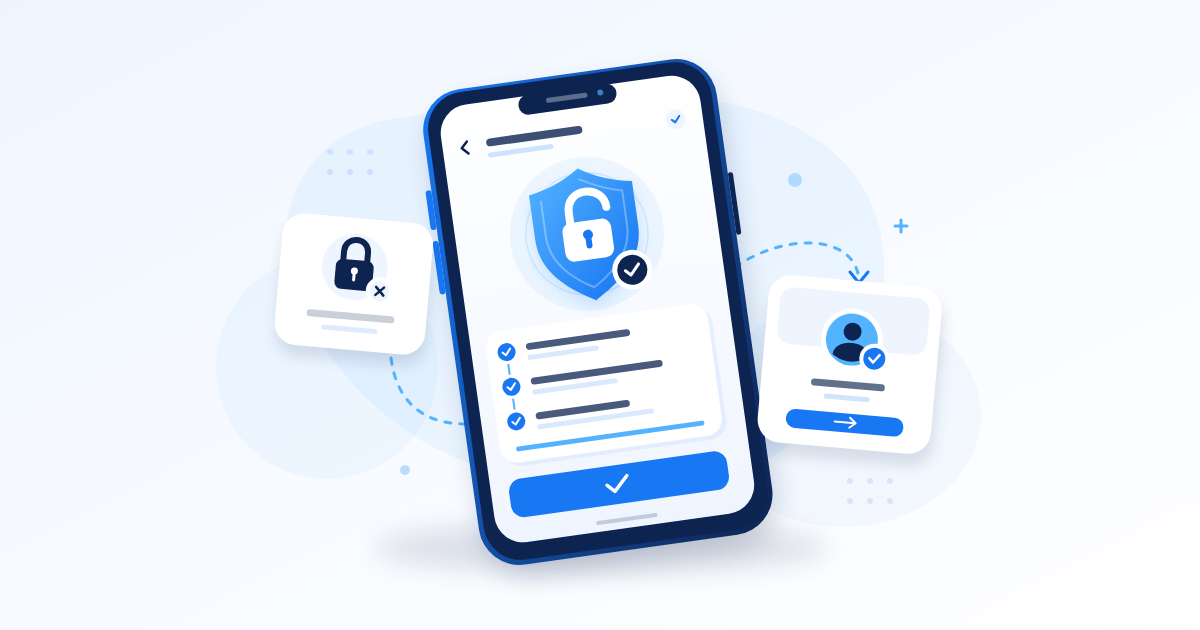
Here is how to recover Facebook account access in Nigeria: use Facebook’s official hacked-account recovery process if someone took control, or follow the security checks shown when your account is locked. Start on a device you have used for Facebook before, secure your email, and complete only the verification steps Facebook presents. Recovery depends on proving ownership; nobody outside Meta can guarantee it or sell you a legitimate shortcut.
Key Takeaways
- Read the login message first: a hacked account, security lock, forgotten password and suspension need different responses.
- Keep any working Facebook session open while you secure your email and begin recovery on a familiar device.
- Submit identity documents only through Facebook’s official process, and follow the requirements shown for your account.
- After regaining access, check contact details, active sessions, two-factor authentication and business Page permissions.
Identify What Happened to Your Facebook Account
Before resetting anything, open Facebook directly and read the exact message. A failed login alone does not prove that somebody hacked you, and a copied profile is different from someone controlling your original account.
We looked at a related question in How to Create TikTok Account and Switch to a Business Account in Nigeria.
Match the Problem to Your Next Action
- Unexpected password or contact changes: Treat the account as potentially compromised and begin hacked-account recovery.
- A message saying your account is locked: Follow the security or identity checks attached to that message.
- A forgotten password without suspicious changes: Start with the password reset option on the login screen.
- A suspended or disabled account notice: Follow any appeal instructions and deadline displayed for your account.
- A separate profile using your photos: Report the impersonating profile. Resetting your own password will not remove the copy.
These problems can overlap. An attacker might use your account for activity that leads to a restriction, so record both the unauthorised changes and the restriction notice.
Save Useful Evidence
Take a screenshot of the message and note when you last accessed the account successfully. Ask a trusted friend to send your profile address if you cannot find it yourself.
For example, if a customer says your clothing business is requesting transfers to an unfamiliar bank account, save that message privately. Avoid publishing screenshots containing phone numbers, customer details or recovery codes.
Protect Your Email and Customers First
Your email can be the route back into Facebook. If an attacker also controls that inbox, they may intercept recovery messages or undo changes you make.
If you want to go deeper on this point, How to Create Facebook Page: Business Setup, Renaming and Deletion walks through it step by step.
Secure the Accounts That Support Recovery
- Open your email provider’s app or website directly.
- Change a compromised or reused email password to a unique one.
- Review recovery details, signed-in devices and unfamiliar forwarding rules.
- Enable two-factor authentication on the email account where available.
If Facebook is still open on a trusted phone, keep that session available while you work. Do not immediately uninstall the app, clear its storage or sign out everywhere: you could remove access that helps you check settings or complete verification.
If you suspect the phone itself contains malicious software, use another trusted device to secure your email. Account familiarity is useful, but entering fresh passwords on an infected device creates another problem.
Warn People Through a Channel You Control
A short WhatsApp Status or Instagram Story can prevent customers from following fraudulent instructions. Try: “My Facebook account is compromised. Please ignore new payment requests there and confirm existing orders through this number.”
Contact customers with pending payments individually. If a trusted colleague still manages your business Page, ask them to check for suspicious posts and access changes without sharing anyone’s login credentials.
Charge your phone before starting identity checks. On metered data, pause large downloads and use a stable connection so an upload is less likely to fail halfway through.
How to Recover Facebook Account Access After a Hack
Facebook directs people with compromised accounts to facebook.com/hacked, preferably on a device previously used to sign in. Its official hacked-account recovery guidance also points to help for lost email access and hacked Pages.
Start With the Familiar Device
- Open your usual browser on the phone or computer you previously used for Facebook.
- Type facebook.com/hacked into the address bar yourself.
- Describe the problem using the options shown.
- Identify your account using the information Facebook requests.
- Complete the available ownership checks and security steps.
The screens may vary by account, device and app version. Follow the live process rather than searching for a button from an old video that does not appear on your screen.
If Facebook asks for a previous password, enter it only inside the official recovery process. A stranger requesting the same information through WhatsApp is not conducting that process.
Check That You Selected the Correct Profile
Compare the profile photo, name and available account information before continuing. Someone with a common name may see several similar results.
For a musician using a stage name, write down both the profile name and the email or number originally attached to it. These details are more useful than repeatedly searching only for the artist name.
When learning how to recover Facebook account access, the key is to complete the ownership checks available to you. Repeatedly changing browsers or submitting guesses does not provide stronger evidence.
Recover Access Without Your Old Email or Phone Number
Losing an old SIM or email address makes recovery harder, but your next step depends on which alternatives Facebook offers. There is no universal form that guarantees recovery without either.
This connects closely to Facebook Groups Are Not Dead in Nigeria: How to Grow One That Sells, which covers the next piece of the puzzle.
Find the Account and Review Available Options
For account lookup, type facebook.com/login/identify into your browser on a familiar device. Try the account details you previously used, then inspect the recovery choices presented.
- Check whether another email address or number you still control is listed.
- Use an alternative verification option if Facebook offers one.
- If asked for a new contact address, provide a secure inbox you can open.
- If the displayed contact belongs to the attacker, do not treat sending a code there as progress.
For a Nigerian number entered in international format, use +234 and remove the initial zero. Check whether the form already supplies the country code so you do not enter it twice.
Restore the Missing Contact Method Where Possible
If you lost your SIM, contact your mobile network through its official customer service or service centre about recovering your number. Requirements vary, so confirm them directly rather than paying an intermediary who promises to bypass ownership checks.
If you cannot access your email, use that provider’s account recovery process. Recovering the inbox may give you a usable route back into Facebook.
A seller who changed numbers months ago should check whether the old email still works before assuming everything is lost. Never ask a new holder of your former number to forward login codes; that leaves account security dependent on someone else.

Handle a Locked Account and Identity Confirmation
A Facebook account locked for security reasons may require confirmation that you are the owner. Open Facebook directly and follow the instructions attached to the lock notice; a password reset alone may not complete those checks.
Prepare a Clear Identity Submission
If Facebook requests identification, read the accepted-document requirements within that process. Its Help Centre explains that government identification and certain combinations of other documents may be accepted, depending on the check.
- Choose a document type listed in the instructions.
- Photograph the original in good light with the required information visible.
- Keep the document fully in frame and check that the image is readable.
- Upload it only through the official verification screen.
- Save any submission confirmation and follow the next instruction.
Blurry photos, missing information and pictures of photocopies or screenshots can cause rejection. Avoid sending the image through a messaging app before uploading it, because compression may make details harder to read.
Handle Name Differences Honestly
A comedian whose profile uses a performance name may have documents showing another name. Read the available identity options and provide a truthful explanation if the process permits one.
Do not edit a document to match a profile. Also, do not assume that a NIN slip, passport or other Nigerian document will automatically pass every verification flow; use the current accepted-document list.
If Facebook specifies a waiting period after a security check, follow that instruction. It is not a promise that every locked account will reopen within the same period.
Resolve Missing Codes and Recovery Loops
A delayed SMS, an unavailable authenticator and a page that keeps restarting are separate problems. Write down where the process stops before making another attempt.
When the Recovery Code Does Not Arrive
- Check that the partially hidden email address or number is yours.
- Look in spam and junk folders for email delivery.
- Confirm that the correct SIM is active and can receive ordinary messages.
- Respect any resend timer and use the most recently requested code.
- Try another verification method only if Facebook offers it.
On a dual-SIM phone, mobile data working through one line does not prove that the other line can receive SMS. Check the actual number attached to the account.
Avoid requesting several codes in quick succession. Delayed messages can arrive out of order and make it difficult to identify the current one.
When You Cannot Complete Two-Factor Authentication
Use a previously saved recovery code, your configured authenticator or another method offered on the screen. If an attacker added authentication you do not control, continue through the hacked-account process and describe the unauthorised change where possible.
Do not send a recovery code to someone offering to “test” it. Codes can grant access just as passwords do.
When the Same Screen Keeps Returning
Check your connection, record the error and try the official process again in your usual browser when the connection is stable. Keep any working session intact.
If recovery still fails, use the relevant Help Centre guidance or support option actually available inside your account. Keep a short record of attempts and responses; do not assume that an old contact form or a support option shown in someone else’s tutorial remains available to you.
Secure Your Account After You Get Back In
Reaching your feed is only the first check. An attacker may have changed recovery details, kept another session active or altered access to a business asset.
Complete a Security Review
- Set a unique Facebook password that you do not reuse elsewhere.
- Check account email addresses and phone numbers; verify your own details before removing unfamiliar ones.
- Review active sessions and sign out devices you do not recognise.
- Review two-factor authentication and remove unfamiliar methods where the settings allow.
- Save fresh recovery codes somewhere secure outside the Facebook account.
- Check connected apps and remove access you do not recognise or need.
Facebook commonly groups security controls in Accounts Centre, but labels and locations can change. Use the settings search or Help Centre if your version looks different.
An authenticator can reduce reliance on SMS delivery. Plan for losing the phone too: recovery codes stored only on that same device may be unavailable when you need them.
Check Pages, Ad Accounts and Customer Messages
Inspect Page access, business permissions, scheduled posts, advertising activity and payment settings. Recovering your personal profile does not automatically prove that every business asset is secure.
If your Page access was removed, follow Facebook’s hacked-Page guidance or an official business support route available to you. A colleague who still has legitimate access can help document changes.
Save evidence before removing scam posts or messages. Then publish a clear correction and contact affected customers directly; a fashion seller should specifically confirm which payment details remain valid.
Avoid Recovery Agents and Paid Shortcuts
Searching publicly for help can attract people claiming they know a Meta employee or have software that unlocks accounts. A demand for money, passwords or codes is a reason to stop engaging.
Recognise the Common Requests
- A Naira transfer to “activate” an appeal or release the account.
- Your Facebook password, email password or one-time code.
- A copy of your identity document sent through WhatsApp or Telegram.
- Installation of an unfamiliar app or remote access to your phone.
- A guaranteed recovery time or a claim that verification can be bypassed.
For example, someone may offer a small initial fee, then request more money for a supposed server charge. Paying the first amount does not establish that they have access to Meta’s systems.
Do not trust a phone number merely because it appears in a search result, PDF or comment labelled “Facebook support”. Open Facebook’s help and recovery screens directly.
Understand What an SMM Service Cannot Do
An SMM panel cannot verify your identity for Meta, remove a security lock or reverse a suspension. Buying followers, likes or views does not help establish account ownership or repair a compromised login.
If you already shared a password with a recovery agent, change it wherever it was reused and secure your email. If you shared a code, review account sessions and recovery details immediately through the official process.
Frequently Asked Questions
How Do I Recover My Facebook Account Without a Password?
Use the password reset option if there are no signs of compromise. If someone changed your details or is using the account, start at facebook.com/hacked on a familiar device and complete the available ownership checks.
Can I Recover a Hacked Facebook Account Without Email or a Phone Number?
Sometimes, if Facebook offers another verification method and you can satisfy it. Anyone researching how to recover Facebook account access without those details should also try restoring the original inbox or phone number through its provider; recovery is not guaranteed.
How Long Does a Facebook Account Stay Locked?
There is no single reliable duration for every lock. Follow any waiting period, identity request or review instruction displayed for your account, and check for a response through the contact method you supplied.
Can I Pay Someone in Nigeria to Recover My Account?
Paying a third party does not give them authority over Facebook’s recovery decision. A trusted person can help you read instructions while you control the device, but keep passwords, recovery codes and identity submissions private.
How Do I Delete My Facebook Account After Recovering It?
If you are looking for how to delete Facebook account access permanently, first secure the account and download information you want to keep. In Accounts Centre, look for Personal Details, Account Ownership and Control, then Deactivation or Deletion; labels may vary.
Select the correct Facebook account and read the consequences and cancellation deadline shown before confirming. Transfer necessary Page responsibilities first, and consider temporary deactivation if you only want a break. Deletion is not a substitute for recovering ownership.
Final Thoughts
Start with the exact login message, secure your email and follow Facebook’s official recovery route on a familiar device. Keep records, protect customers from fraudulent requests and refuse anyone asking for money or login secrets. Once you regain access, finish the security review before returning to posting, selling or running ads.
Related reading
- Your First 1,000 Followers: A Realistic Plan for a New Account
- How to Grow a TikTok Account in Nigeria Without Buying Fake Followers
- Before You Buy TikTok Followers in Nigeria: What Actually Happens to Your Account
Grow your Facebook numbers faster
If you want to speed this up, compare the Facebook options and prices first, then open a free account and start with the smallest package.