


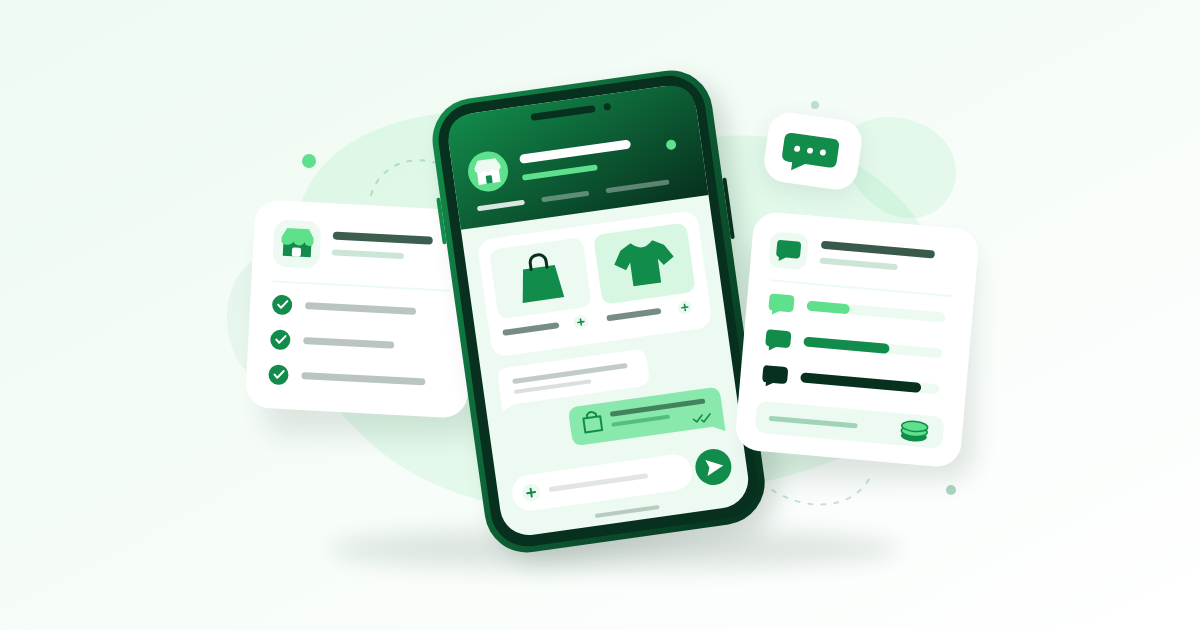
WhatsApp Business helps Nigerian businesses organise customer conversations, display products and answer common questions through a free app, while its separate Platform API supports more advanced messaging with usage-based charges. Start with the app if you handle enquiries yourself; consider the API when you need connected software, automated order updates or a coordinated support team. This guide explains setup, useful features and how to estimate costs without confusing Meta’s fees with a provider’s bill.
Key Takeaways
- The app’s core tools are free to use, but data, advertising and optional paid features can add costs.
- Set up a reliable business number, clear profile, useful catalog and saved replies before promoting your contact details.
- API costs depend on message categories, recipients and applicable pricing rules, with possible software fees on top.
- Measure qualified enquiries, completed orders and customer support outcomes rather than contact-list size.
Choose Between the Free App and the Platform API
Use the App for Everyday Customer Conversations
The WhatsApp Business app is a practical starting point for a baker taking birthday orders, a comedian handling bookings or a clothing seller answering size questions. It gives you a familiar messaging interface with business tools, without requiring you to build software.
Once this part is in place, How Nigerian Small Businesses Can Use WhatsApp Channels to Keep Customers is a sensible next read.
Choose it when one person can keep track of conversations and manually confirm prices, availability and delivery. Your first task is to write down what happens between a customer saying hello and receiving their order. If that process is manageable, improve it before paying for extra software.
Use the API for Connected Workflows
The Platform API connects WhatsApp messaging to other software. Depending on your implementation, that could mean a shared customer support inbox, an online shop sending order updates or a system routing enquiries to different staff.
It is not simply another app you download. You need a suitable provider or technical implementation, and the inbox, automation and reporting features depend on that setup.
- Solo seller: Begin with the free app and a clear order routine.
- Small team: Check whether the app’s available device access meets your needs before upgrading.
- Busy online shop: Assess the API when staff repeatedly copy order information between systems.
A larger Instagram following alone is not a reason to upgrade. The useful trigger is a specific operational problem, such as customers receiving conflicting answers from different staff.

Set Up Your WhatsApp Business Account
Prepare Your Number and Existing Chats
Use a phone number your business controls and can keep. A dedicated number makes it easier to separate customer enquiries from personal conversations and to manage access when someone leaves your team.
- Download the official app from Google Play or Apple’s App Store.
- Choose a number you own that can receive the required verification SMS or call.
- Select Nigeria’s country code, +234, and enter the number without its initial zero where requested.
- Complete verification privately. Never forward your registration code to someone offering setup assistance.
- Add your business name, category and profile information.
If you are moving an existing personal account, back up important conversations and follow the app’s migration instructions before removing anything. Keeping WhatsApp Messenger and the business app active as separate accounts requires different numbers; the same number cannot serve both simultaneously.
Make Your Profile Answer Buying Questions
Use the name customers recognise from your social profiles. Add accurate opening hours, a contact email and an address only where it is appropriate for customers to visit.
A useful description is: “Custom cakes in Ibadan. Collection and delivery by arrangement. Send your event date, serving size and preferred design for a quote.” Compare that with “Quality you can trust,” which leaves every buying question unanswered.
Enable two-step verification using the options available in your account, and review connected devices regularly. Menu names vary by phone and app version, so use the app’s Help section for current instructions rather than forcing an old tutorial’s menu path.
Build a Catalog and Replies That Save Time
Start With Five Clear Listings
A catalog helps customers browse products or services without asking you to resend the same photos. Start with five items you can reliably supply, then expand once prices and availability are easy to maintain.
For each listing, prepare a clear image, a specific name, a description and an accurate price where appropriate. Mention variations, delivery exclusions and lead times. A photographer could list “Product Photography: Ten Edited Images” and explain whether props, travel and additional revisions cost extra.
Avoid uploading an entire stock folder with filenames as product names. “Blue Cotton Shirt, Sizes M–XL” gives the buyer more useful information than “IMG_4721.” Update unavailable items promptly.
Write Replies Around the Next Decision
Quick replies let you reuse common answers. Prepare responses for delivery areas, turnaround time, payment instructions, availability checks and booking requirements, then personalise them before sending.
- Delivery: “Please send your area and nearest landmark so I can confirm the delivery charge.”
- Booking: “Please send the event date, location and performance duration so I can check availability.”
- Order check: “Please confirm the item, size, colour and quantity before I calculate your total.”
Use greeting and away messages to explain what information you need and when a person will respond. “We reply between 9am and 6pm, Monday to Saturday” is more useful than promising an immediate answer you cannot consistently provide.
Organise Conversations by Their Next Action
Use the organisation tools available in your version, such as labels or lists, to separate new enquiries, orders awaiting payment, work in progress and completed orders. Review unresolved chats before closing each day.
Do not mark an order paid merely because the customer sends a transfer screenshot. Confirm receipt through your own payment records, then update the conversation’s status.
Turn Social Attention Into Useful Enquiries
Give Each Post One Clear Next Step
Make your Instagram, TikTok, Facebook, YouTube or X content answer a buying question before asking people to contact you. A short video showing a garment’s fit can end with: “Message your size and delivery area to check availability.”
If you want to go deeper on this point, How to Create Facebook Page: Business Setup, Renaming and Deletion walks through it step by step.
A musician can ask event organisers for their date and venue. A comedian can request the event type and required set length. These prompts produce more useful opening messages than “DM for business.”
Use your app’s sharing options for your business contact or catalog where available. Test the customer journey from another phone: can someone identify the offer, start a conversation and understand what to send?
Get Permission Before Sending Promotions
Keep order updates separate from ongoing marketing. Someone who asks about a delivery has not necessarily asked to receive every future offer.
Try a clear invitation: “Would you like one message each Friday with next week’s lunch menu? Reply YES to join, and STOP whenever you want to leave.” Record the response and respect a request to stop.
Avoid buying phone-number lists or treating group membership as permission to advertise privately. Growth services may change visible follower or engagement counts, but they do not create customer consent, buying intent or guaranteed sales. Useful content and dependable service still have to do that work.

Understand How Meta’s Messaging Pricing Works
Separate App Use From API Billing
For Meta WhatsApp Business pricing in Nigeria, first establish which product you use. Ordinary conversations through the app do not automatically become API charges because you add a business profile.
This connects closely to Telegram Channels for Nigerian Businesses: When They Beat WhatsApp, which covers the next piece of the puzzle.
For the Platform, Meta’s current published model charges for delivered billable messages according to the recipient market and message category. Do not assume every recipient falls under Nigeria’s rate because your business operates here.
Check Meta’s official Platform pricing page before budgeting or launching a campaign. It provides current pricing information and access to the Help Center; check effective dates and account-specific notices because rates, exemptions and available features can change.
Identify What Each Message Does
- Marketing: Promotions, offers and product recommendations.
- Utility: Non-promotional updates connected to a customer’s transaction or request.
- Authentication: Verification messages such as one-time passwords.
- Service: Replies that help customers with their enquiries.
Before asking for a quote, write three examples of messages your business actually needs. A dispatch update and a weekend discount serve different purposes. Keep promotional additions out of transactional drafts, and confirm their approved classification before estimating costs.
Understand the Customer Service Window
On the API, each customer message opens or resets a 24-hour customer service window. Outside that window, you must use approved message templates. At the time of checking, Meta’s pricing page lists service replies and utility templates within the window as free of Meta messaging charges; provider fees may still apply.
For example, a customer asks about an order on Monday morning. Record when they last messaged before planning a later update. Your outgoing reply does not restart their window, and the window does not mean every kind of message is free.
Ask your provider to demonstrate how its inbox shows the window and estimates charges. Do not build a permanent budget around an exemption without checking whether it still applies when you send.
Build a Naira Budget Around the Full Bill
Ask for an Itemised Estimate
A provider’s monthly subscription is not necessarily your complete messaging cost. Before paying, request a written estimate that separates the following:
- Meta messaging charges, broken down by category and recipient market.
- Provider subscriptions, message markups and staff-seat charges.
- Setup, integration, automation or support fees.
- Applicable taxes, billing currency and currency conversion costs.
- Advertising spend and your own data and operating expenses.
If billing is in a foreign currency, ask which exchange rate is used and when conversion happens. A Naira quote without a stated validity period may be difficult to compare with the next month’s invoice.
Calculate Volume Before Choosing a Plan
Suppose you intend to send two promotional messages each month to 250 consenting customers. That is up to 500 delivered marketing messages to budget for, before adding order notifications or other billable activity.
Give that scenario to a provider and ask for separate estimates for normal and busy months. Request a spending alert and ask whether a hard limit is available. Confirm what happens when that limit is reached, especially for important customer updates.
For an app-only trial, you might set your own operating envelope at ₦10,000–₦20,000 for a month, depending on what you can afford. This is an illustrative spending limit for things such as additional data and a small promotion test, not a quoted Meta fee or a promise that those amounts cover a particular data package.
Keep that experiment separate from delivery money and customer deposits. Review what it produced before increasing the budget.
Upgrade When You Can Name the Problem
Test One Workflow Before Moving Everything
The API becomes easier to justify when you can describe the work it should remove. For a clothing shop, that might be sending dispatch updates from an order system. For an events business, it could be assigning booking enquiries to the right person.
Ask a provider to demonstrate your actual scenario, including an unavailable item, a customer asking for a human and an unsuccessful message delivery. A polished generic demonstration will not show whether your own awkward cases are handled properly.
- Who owns and controls the business account and phone number?
- Which inbox and automation features are included?
- Can you export customer and conversation records you are entitled to retain?
- How will migration affect existing chats and access?
- What support is available when messages stop working?
Check Number Compatibility Before Committing
Do not assume your current number can continue working in exactly the same way after API onboarding. App and API coexistence options depend on the supported setup and eligibility; ask for written confirmation for your account.
Keep control of account administration and recovery details. The common mistake is letting a contractor set everything up under accounts only they can access, then discovering that changing providers is difficult.
Run a Simple Routine on Limited Data and Power
Prepare Once, Reuse Carefully
Batch product photography and catalog maintenance when you have reliable power and connectivity. Use clear, reasonably sized images, and send a relevant product listing before sending several large videos.
Keep draft descriptions, standard answers and an order checklist in your phone’s notes. That lets you prepare work offline, although messages still need connectivity to send. Review media downloads and backups so unexpected file transfers do not consume your working data allowance.
Use a Three-Part Daily Check
- Opening: Review unanswered enquiries, today’s bookings and items that have become unavailable.
- During working hours: Answer buying questions, confirm payments and update each order’s next action.
- Closing: Check unresolved conversations, prepare tomorrow’s dispatch list and confirm your away message is accurate.
A seller who also handles production can publish realistic response hours and check messages at planned intervals. Avoid promising constant availability if charging your phone or travelling for supplies regularly interrupts access.
At the end of the week, record new enquiries, qualified enquiries, confirmed orders and common reasons people did not buy. If many customers stop after the delivery quote, clarify delivery expectations earlier. Buying more traffic will not resolve that information gap.
Frequently Asked Questions
Is Business WhatsApp Different From Normal WhatsApp?
“Business WhatsApp” usually means the business app, which adds tools such as a business profile, catalog and saved replies to familiar messaging. Choose it when you need to manage customer conversations separately and consistently.
What Are WhatsApp Business Charges in Nigeria?
The core app is free, while data, advertising and optional paid features can cost money. API use has separate messaging economics, and providers may add software charges. Ask which product and feature a quoted fee covers before paying.
Can I Keep My Existing Phone Number?
You can move an existing Messenger number to the business app, following the supported migration process. Back up important chats first. If you want both apps running as separate accounts, use different numbers.
Does a Catalog Let Nigerian Customers Pay Inside WhatsApp?
A catalog displays your offer; it does not by itself guarantee access to native checkout or payments in Nigeria. Confirm what your account supports, explain your available payment method and verify payment independently before fulfilling an order.
Are Broadcast Messages Always Free?
No. Meta has introduced paid business broadcast features, and availability can vary. Check the feature and price displayed in your account before sending; API marketing campaigns also have their own billing rules. Send promotions only to people who agreed to receive them.
Final Thoughts
Start with a dependable number, five useful catalog listings and replies that help customers make decisions. Run that setup for a week, record where enquiries stall and fix the repeated problems. Consider paid tools when they solve a measurable workload issue, and check the complete Naira cost before committing.
Related reading
- Get Free Instagram Followers Through Giveaways: What Works and What Backfires
- How to Create TikTok Account and Switch to a Business Account in Nigeria
- Hashtags in 2026: What Still Works and What Stopped Working
Turning WhatsApp consistency into reach
When you are ready to add momentum, the WhatsApp services page shows exactly what each package delivers, and you can create an account in a minute.