
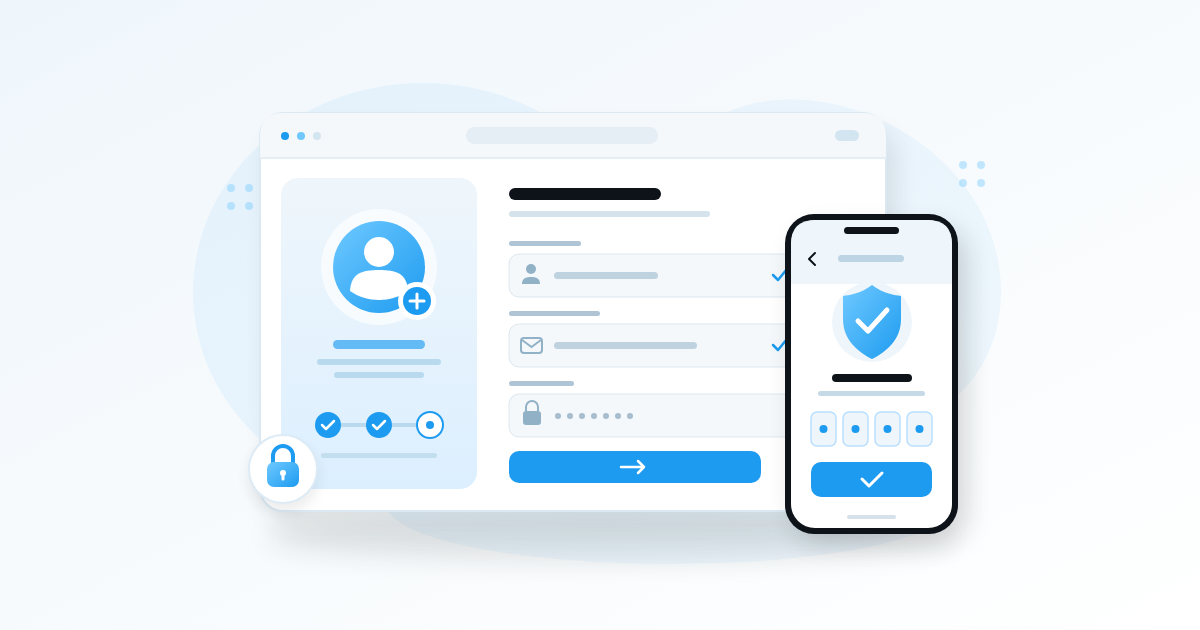
For anyone searching “how to open Twitter account” in Nigeria, start by signing up on X with an email address or phone number and confirming your details. Twitter is now called X, and opening an account is separate from getting a blue checkmark through an eligible paid subscription. This guide covers signup, missing codes, account security and the checks to make before paying.
Key Takeaways
- Use an email address or Nigerian phone number you control, and save your login details securely.
- Confirming your email or phone number does not give your profile a blue checkmark.
- The blue checkmark requires an eligible subscription and an account review; payment alone does not guarantee approval.
- Secure your account and publish useful posts before deciding whether paid features justify their recurring cost.
Prepare Your Details Before You Sign Up
Choose Contact Details You Can Keep
Use an email inbox you can open now, rather than an old address with a forgotten password. If you prefer a phone number, use your own active SIM. A borrowed number creates a recovery problem when X later asks you to prove ownership.
If you want to go deeper on this point, How to Recover Facebook Account Access in Nigeria After a Hack or Lock walks through it step by step.
For a business account, choose an email address the business controls. A fashion shop in Ibadan should avoid registering its main account with a temporary social media assistant’s personal inbox. Decide who owns the account before anyone starts posting.
- Check that your inbox receives messages and has storage available.
- Keep your phone charged or have a power bank nearby.
- Prepare a clear profile photo or readable business logo.
- Write down two or three possible usernames in case your first choice is unavailable.
Separate Your Name From Your Username
Your display name is the name people see on your profile. Your username, also called your handle, starts with @ and identifies your account in mentions.
A baker might use “Tomi Cakes | Abuja” as a display name and a short version of the business name as the handle, if available. Avoid a long string of random numbers: customers should be able to type your handle after hearing it once.
Keep your recovery details private. Your public contact address can be different from the inbox used to manage account access.

How to Open Twitter Account on Your Phone
Complete the Signup Prompts
You can use the official X app or open the X website in your phone’s browser. The browser is useful if you want to begin without downloading another app over mobile data.
For the practical side of this, see X (Twitter) in Nigeria: How to Grow When the Timeline Moves This Fast.
- Choose the account creation option. Check that you are using the official app or website before entering personal details.
- Select your signup method. Follow the email or phone option offered on your screen. Google or Apple signup may also be available.
- Enter the requested information. Use accurate details, including your date of birth if requested. Do not invent a birth date to bypass an age restriction.
- Confirm your contact information. Enter the code or follow the confirmation instructions X sends you.
- Set up your login. If asked to create a password, make it unique. If you use Google or Apple, remember which account you selected.
- Finish the introductory prompts. Choose relevant interests and review optional permissions before accepting them.
Enter a Nigerian Number Correctly
When a form requests an international number, Nigeria’s country code is +234. Replace the opening zero in your local mobile number with +234. If the form already has Nigeria and +234 selected, avoid adding the country code twice.
Read the field’s example because forms can handle the local zero differently. Do not keep submitting different versions without checking what the screen expects.
If you are helping someone who searched “how to open Twitter account,” let them enter their own password and confirmation code. Helping with the process should not leave you holding their account credentials.
Fix Missing Codes and Signup Problems
Check the Delivery Channel First
A delayed code does not automatically mean your Nigerian number is unsupported. First confirm the destination shown on the screen, then check whether the problem is the address, your connection or message delivery.
- For email: check spam and junk folders, search for messages from X, and inspect the address for typing mistakes.
- For SMS: confirm that the correct SIM is active, has network signal and can receive ordinary messages.
- For multiple codes: use the most recently requested code and follow any expiry notice.
- For repeated failures: respect the waiting period shown before requesting another code.
Do not repeatedly press resend while switching between Wi-Fi and mobile data. That makes it harder to know which request a message belongs to. Request once, wait, and keep the signup screen available.
Handle Errors Without Creating More Accounts
If X says your email or number is already associated with an account, try recovering that account first. You may have registered years ago and forgotten about it.
If the app freezes, check your connection and try the official website. Complete any security challenge honestly; avoid services offering to bypass checks or sell access to temporary verification numbers.
For example, if an SMS arrives after a power interruption, check whether the signup session still accepts it. An expired code calls for a fresh request, not a payment to someone claiming they can “activate” your SIM for X.
Build a Profile People Can Understand
Explain What You Offer
A new visitor should quickly understand who you are, what you post and why they should follow. Start with a recognisable photo, a clear name and a bio that says something specific.
“Entrepreneur | Dream chaser | DM for business” gives little useful information. A stronger example is: “Abuja baker sharing cake designs and ordering tips. Celebration cakes in Wuse and Gwarinpa. Message for availability.”
- Creators: name your subject and the type of content people can expect.
- Musicians: use your performing name and explain your sound or current project.
- Businesses: state what you sell and the locations you serve.
- Marketers: identify the customers or problems you work with.
Give Visitors One Useful Starting Point
Publish an introductory post that explains your work and gives one clear next step. If the pin option is available, pin a useful introduction, portfolio sample or ordering guide.
A comedian could introduce a recurring character and attach a short example. A clothing seller could explain how customers should send measurements and delivery locations. Neither needs to begin with “Please follow me” as the entire message.
Review the profile on a small screen. If the logo becomes unreadable or the bio hides the actual service behind slogans, simplify it before sharing the account widely.

Secure Your Twitter Account Before Promoting It
Add Protection Beyond a Password
A stolen account can expose private conversations and let someone impersonate your business. Use a unique password and enable two-factor authentication so a password alone is insufficient to sign in.
Once this part is in place, Twitter Followers Booster in Nigeria: What Works and What Wastes Your Money is a sensible next read.
X currently places this under Settings and privacy, then Security and account access, Security, and Two-factor authentication. Labels can change between app versions. Choose an authentication app or another supported method appropriate for your account.
- Follow X’s prompts to connect your chosen authentication method.
- Complete the confirmation step so protection is actually enabled.
- Store the backup code securely somewhere you can reach if your phone is lost.
- Protect the email account connected to X with its own strong login security.
An authenticator app is useful when SMS delivery is unreliable because it generates codes without waiting for a text. However, keeping your only recovery copy on the same phone leaves you vulnerable if that phone fails.
Review Privacy and Access
Check whether your posts are public or protected, who can message you, and whether people can find you through your email or phone number. Choose deliberately rather than accepting settings you have not read.
For a public business profile, avoid posting your home address, personal documents or customer payment screenshots. Keep sensitive order discussions private.
Never share a password, backup code or one-time login code with a person offering verification. If a message claims your account has a problem, open X yourself and inspect the account notices instead of following the message’s login link.
Understand Paid X Verification Before Subscribing
Know Which Type of Verification You Need
People use “verification” to mean different things. Confirming your email or phone establishes access to that contact method. The blue checkmark commonly called Twitter verification is now tied to an eligible paid X subscription and account eligibility; it does not by itself mean X has checked your government ID.
Before paying, read X’s official blue checkmark guidance for the current requirements and subscription details. Plan names, features and availability can change, so check the offer displayed inside your own account.
Prepare Your Account for Review
X’s published criteria include a display name, profile photo, confirmed phone number, recent activity and an account without misleading behaviour or signs of spam. Recent changes to your name, photo or handle can also affect eligibility.
- Finish your profile and confirm your phone number.
- Check that the subscription offered explicitly includes blue checkmark eligibility.
- Review the billing period, renewal terms and account receiving the purchase.
- Subscribe through the official purchase flow if the benefits suit your needs.
- Allow X to review the account; do not assume payment means immediate approval.
Make planned branding changes before applying. Later changes to your name, photo or handle can trigger another review and temporarily remove the checkmark.
Check the Payment, Not Someone Else’s Screenshot
No fixed Naira price is quoted here because the amount and purchase options can change. Inspect the actual checkout total, currency and renewal period. Where a currency conversion applies, check the amount your payment provider will charge.
If a payment appears unsuccessful, inspect your receipt and subscription status before trying again. Avoid paying a stranger who promises a cheaper badge or a guaranteed review outcome.
Plan Your First Week and Your Spending
Publish Something Useful Before Buying Extras
An account needs a reason for people to return. Start with a manageable routine that fits your phone, data allowance and working hours.
- Monday: publish an introduction explaining who you help and what you will share.
- Wednesday: answer a real question from a customer or follower.
- Friday: show a work sample, short performance or practical demonstration.
- Across the week: reply thoughtfully to relevant conversations and answer responses to your posts.
A phone repairer might explain what to do immediately after a liquid spill, then share a repair example with the customer’s permission. A musician could explain the idea behind a chorus and post a short rehearsal clip. Specific posts give people more to respond to than repeated requests for support.
Use Your Data and Budget Deliberately
Draft captions in your phone’s notes app while offline. Prepare images together when you have power, and upload larger videos when a suitable connection is available. Check X’s media settings for data-saving and autoplay controls; options may differ by device.
As an illustrative planning limit, someone with ₦5,000 available for social media this month could prioritise connectivity and keep subscription spending at zero. This is a spending choice, not a quoted data bundle or X subscription price.
At the end of the week, record useful replies, enquiries and conversations that moved towards a booking or sale. A small audience asking relevant questions can be more valuable to a local business than a larger number with no interest in its work.
Keep Growth Services in Perspective
A service selling followers, likes or views cannot open your account correctly, approve verification or guarantee customers. Purchased engagement may come from accounts that never become readers or buyers, and artificial activity can create platform-rule risks.
Do not buy engagement to qualify for a blue checkmark or make a new profile look established. Spend only after identifying the actual problem: unclear positioning, weak posts and unanswered customer messages each need a different fix.
How to Delete Your Twitter Account
Save What You Need First
If you decide to leave X, save important information and request your account archive before deactivating. A business should also update the contact details displayed on packaging, other profiles or customer messages.
Check paid subscriptions through the place where you purchased them. App-store subscriptions can remain active after account deactivation, so verify cancellation separately.
Deactivate and Follow the Waiting Period
X currently starts deletion through Settings and privacy, then Your account, then Deactivate your account. Read the notice and confirm as instructed. Menu wording may change, so follow the current account screen.
The published deactivation period is 30 days. Returning and reactivating during that period can stop deletion; leaving the account deactivated allows permanent deletion to follow. Deleting the app from your phone does not delete the account.
Do not deactivate as a troubleshooting shortcut for missing posts or a compromised login. Use the recovery or support process for that problem, especially if you still need the account for customers.
Frequently Asked Questions
How Do I Create a Twitter Account With Email?
Choose the email option during X signup, enter an inbox you control and complete the confirmation instructions. Finish the remaining prompts and remember which login method you used. X may still request additional checks later.
How Do I Verify My Twitter Account in Nigeria?
For a blue checkmark, complete your profile, confirm your phone number and choose an eligible paid subscription through X. Your account must pass its eligibility review. Confirming an email or receiving an SMS code during signup is a separate process.
Can I Open an X Account Without a Phone Number?
Email signup is available, so you may be able to start without supplying a phone number. That does not guarantee X will never request one. A confirmed phone number is among the published requirements for blue checkmark eligibility.
Does a Blue Checkmark Guarantee Followers or Earnings?
No. A checkmark does not guarantee reach, virality, customers or income. Before subscribing, identify a specific feature you will use and decide whether its recurring cost is worthwhile for your work.
How Do I Delete a Twitter Account If I Cannot Log In?
Try recovering access through the email address or phone number associated with the account. If that fails, use X’s official account-access support process. Avoid anyone promising deletion in exchange for your password or a payment outside X.
Final Thoughts
The useful answer to “how to open Twitter account” goes beyond completing signup: keep control of your contact details, secure your login and give visitors a clear reason to follow. Start with a complete profile and a few useful posts, then consider paid verification only when the available benefits justify the ongoing cost.
Related reading
- How to Create TikTok Account and Switch to a Business Account in Nigeria
- Your First 1,000 Followers: A Realistic Plan for a New Account
- How to Grow a TikTok Account in Nigeria Without Buying Fake Followers
Add momentum to your X (Twitter) growth
When you are ready to add momentum, the X (Twitter) services page shows exactly what each package delivers, and you can create an account in a minute.